Clinics overview
If your pharmacy dispenses prescriptions for clinics, Clinics is where you set what each clinic pays, and see what they've sent you. A clinic shows here once it first sends you a prescription.
Your clinics
Open Clinics from the sidebar. It shows at a dispensing pharmacy, for staff with the Pharmacy permission or who can edit orders. The Clinics tab lists each clinic: how many prescriptions they sent this month, how many orders are waiting to be fulfilled, whether they have their own prices or discounts, and what's not on an invoice yet.
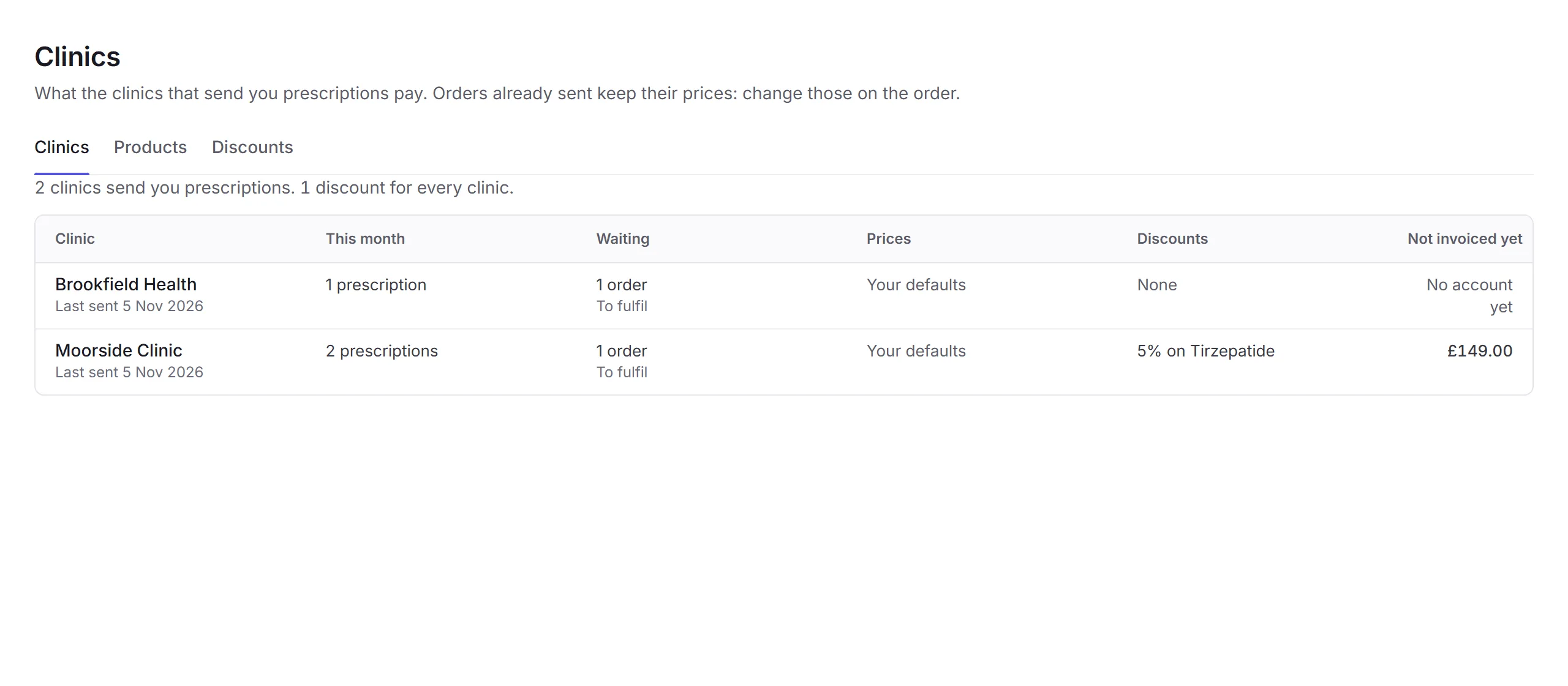
Click a clinic to open it. The other tabs set what every clinic pays: see Products and discounts.
A clinic
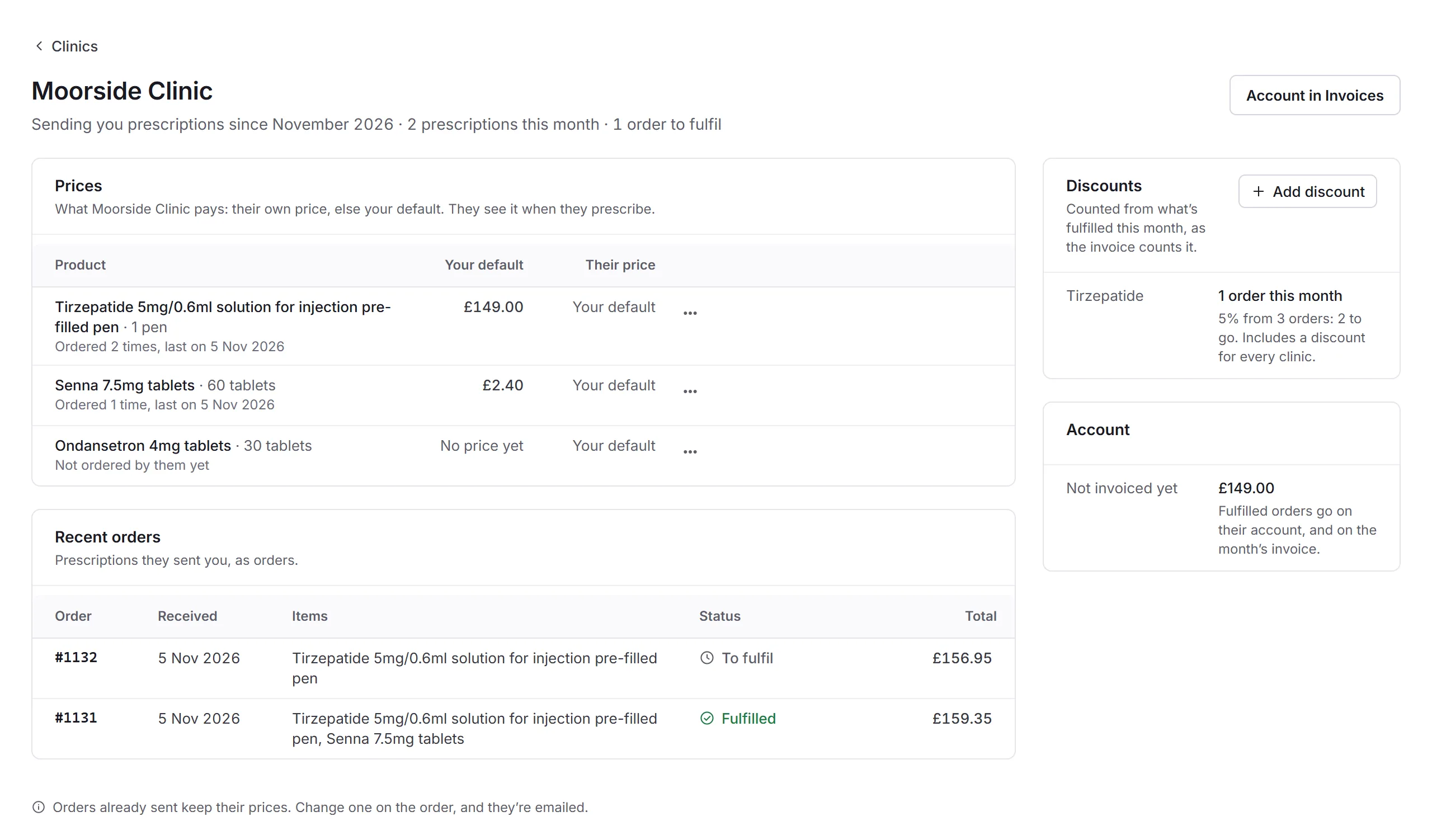
- The clinic
- When they started sending you prescriptions, how many this month, and how many orders are waiting.
- Account in Invoices
- Their account, and the monthly invoices for what they owe.
- Prices
- What they pay for each product: their own price, or else your default. They see it when they prescribe.
- A price's menu
- Set their price… or Use your default. See Their prices.
- Recent orders
- The prescriptions they sent you, as orders, with their status and total. Click an order's number to open it in Orders.
- Discounts
- Their discounts, and how far they are this month: counted from what's fulfilled, as the invoice counts it. Business admins have Add discount. Under it, Account shows what's not invoiced yet.
Their prices
To charge one clinic differently, open a product's menu (…) under Prices and choose Set their price…. Enter Their price and click Save price. They pay it on orders from now on, and see it when they prescribe. Use your default puts them back on your default price, with Undo for a moment after.
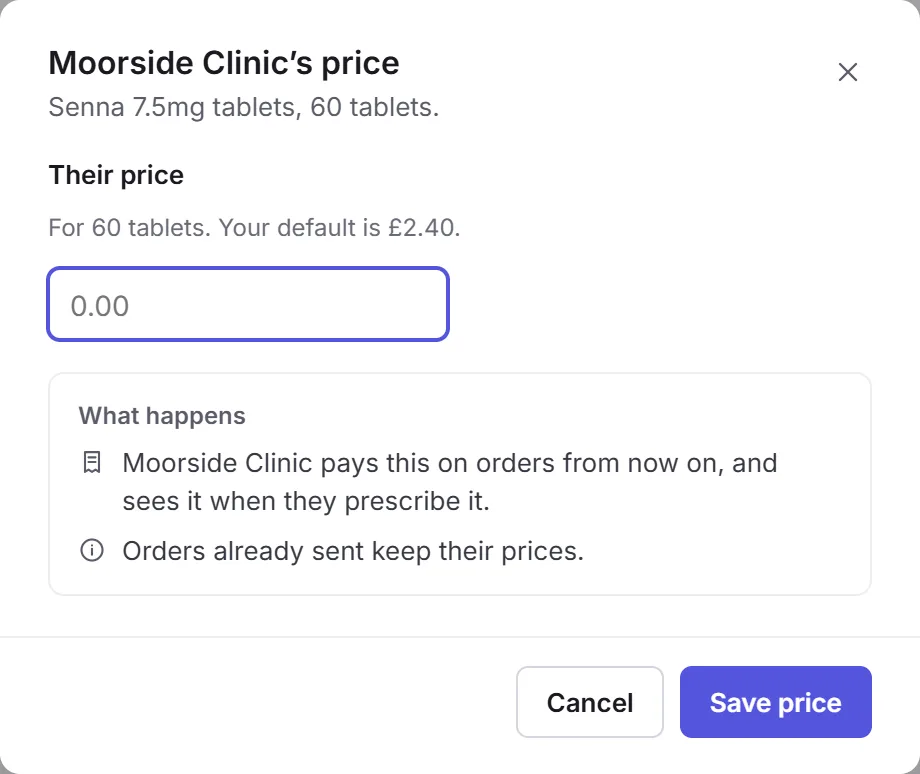
Orders already sent keep their prices. Change one on the order, and the clinic is emailed.
Their orders
When a clinic signs a prescription for you, it arrives as an order in Orders, from that clinic, under the Third party tab. The clinic pays on account, so there's no card payment. If an item has no price yet, the order says so and gets a task, Set prices: every item needs a price before the order can be fulfilled. Fulfilled orders go on the clinic's account, and on the month's invoice.
In this section
Carry on with the detailed Clinics guides: