Setting up and joining calls
Set up a call and invite the patient, join it when it's time, record it if they agree, and find everything about it afterwards.
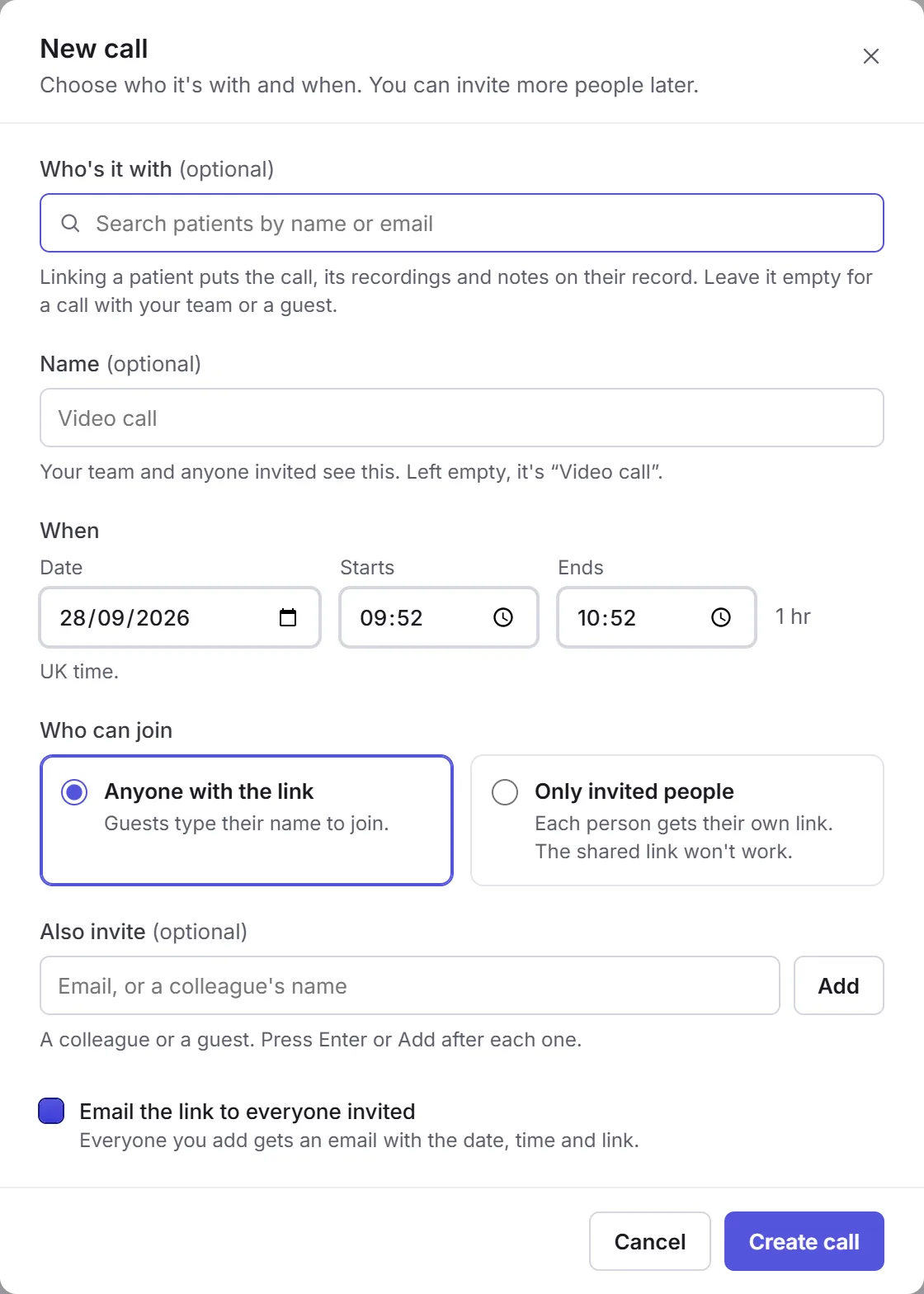
New call
Who's it with
Click New call and choose the patient, if it's with one. Give it a name if you like.
When
The date, and when it starts and ends, in UK time.
Who can join
Anyone with the link, or Only invited people. Add others under Also invite (optional), and tick Email the link to everyone invited to send it.
Create call
Click Create call.
The patient gets an email with Join the call, and reminders before it starts. The link is only for them. They type their name and email, see a preview of their camera, and join; they can join early and wait for you.
In the call
Open the call and click Join call. Until the patient joins, it says you're waiting for them, with Copy link to send it again.
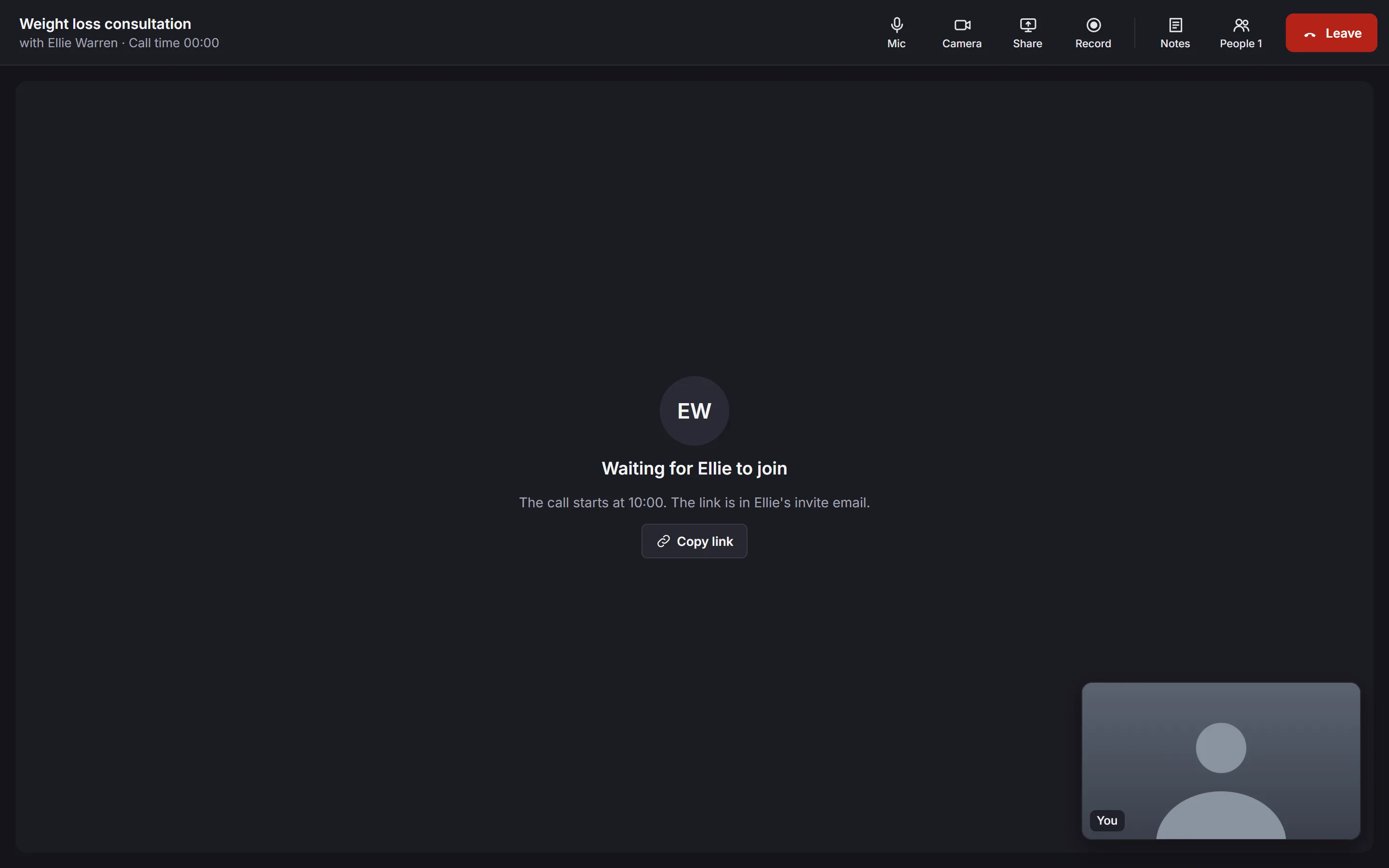
- Mic and Camera
- Turn your microphone and camera on or off.
- Share
- Share your screen with the patient, and Stop sharing. Not on phones.
- Record
- Record the call, once the patient agrees. See Recording a call.
- Notes
- Notes beside the call, saved to it as you type. Only your team sees them, and you can edit them afterwards.
- People and Leave
- Who's in the call, and leaving it. If you leave by mistake, Rejoin it from the call's page.
Recording a call
Ask the patient first, and say the recording is saved to their record and may be transcribed and summarised. Then click Record, tick that they've agreed, and start it. That's noted in the call's activity.
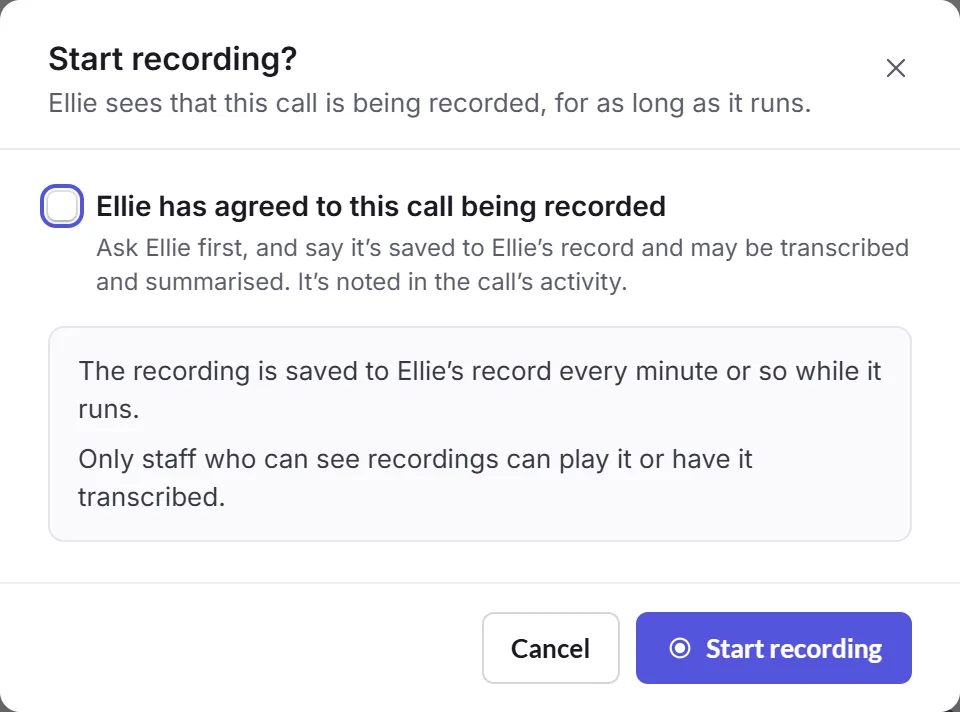
- everyone in the call sees it's being recorded, and the patient's screen says "This call is being recorded";
- if someone joins while it's recording, Priorly asks you to check they agree, or stop recording;
- click Stop to finish. The recording saves to the call.
Only staff who can see recordings can play it or have it transcribed.
After the call
Find it under Past. Its page shows:
- The recording
- Who confirmed the patient agreed, and when it started, with play, Download and Delete, and how long it's kept. Transcribe makes a transcript, and View transcript shows it, with times from the start of the recording. Open in Recordings has notes and tasks from it: see Recordings.
- Summary
- Olly's summary of the call, and whether it's been checked or shared.
- Notes and Activity
- Your notes, with Edit and their earlier versions, and everything that happened in the call.
To change a call before it happens, choose Edit call under More; Delete call cancels it, and Priorly says who's emailed.
Video call settings
Business admins have a gear on Video calls for its settings, for calls at every location. Delete recordings after sets how long recordings and their transcripts are kept: 30 days, 90 days (Priorly's default), 6 months, 1 year, 2 years or 8 years. Olly's summaries, notes and each call's activity stay.
Choosing a shorter time deletes recordings already older than it that night. Priorly says how many, and asks first.