Accounts and settings
An account is someone you invoice. A business on Priorly that sends you work, like a clinic you dispense for, gets one by itself, set to a draft each month. Anyone else, add with New account.
Accounts
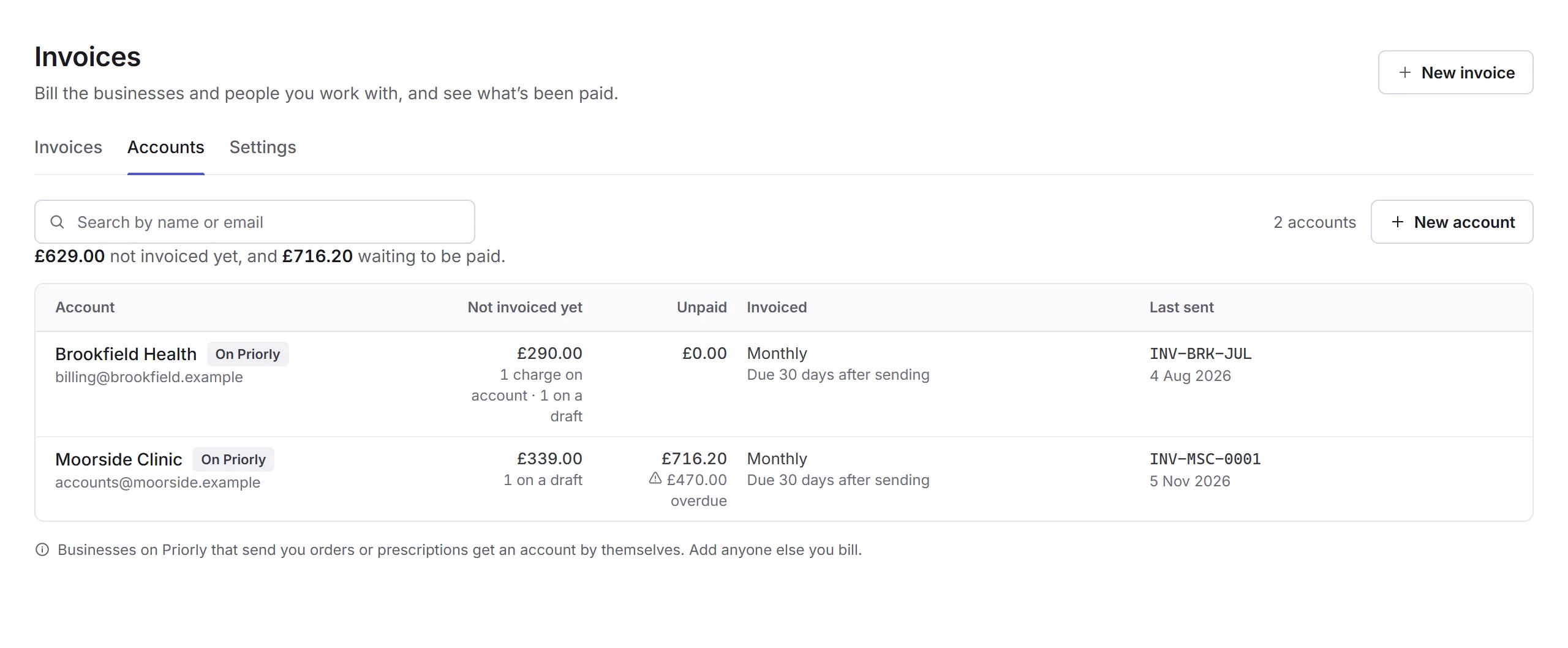
Open the Accounts tab. Each account shows what's not invoiced yet, what's unpaid, how it's invoiced and on what terms, and the last invoice sent to it. Search by name or email.
An account's page
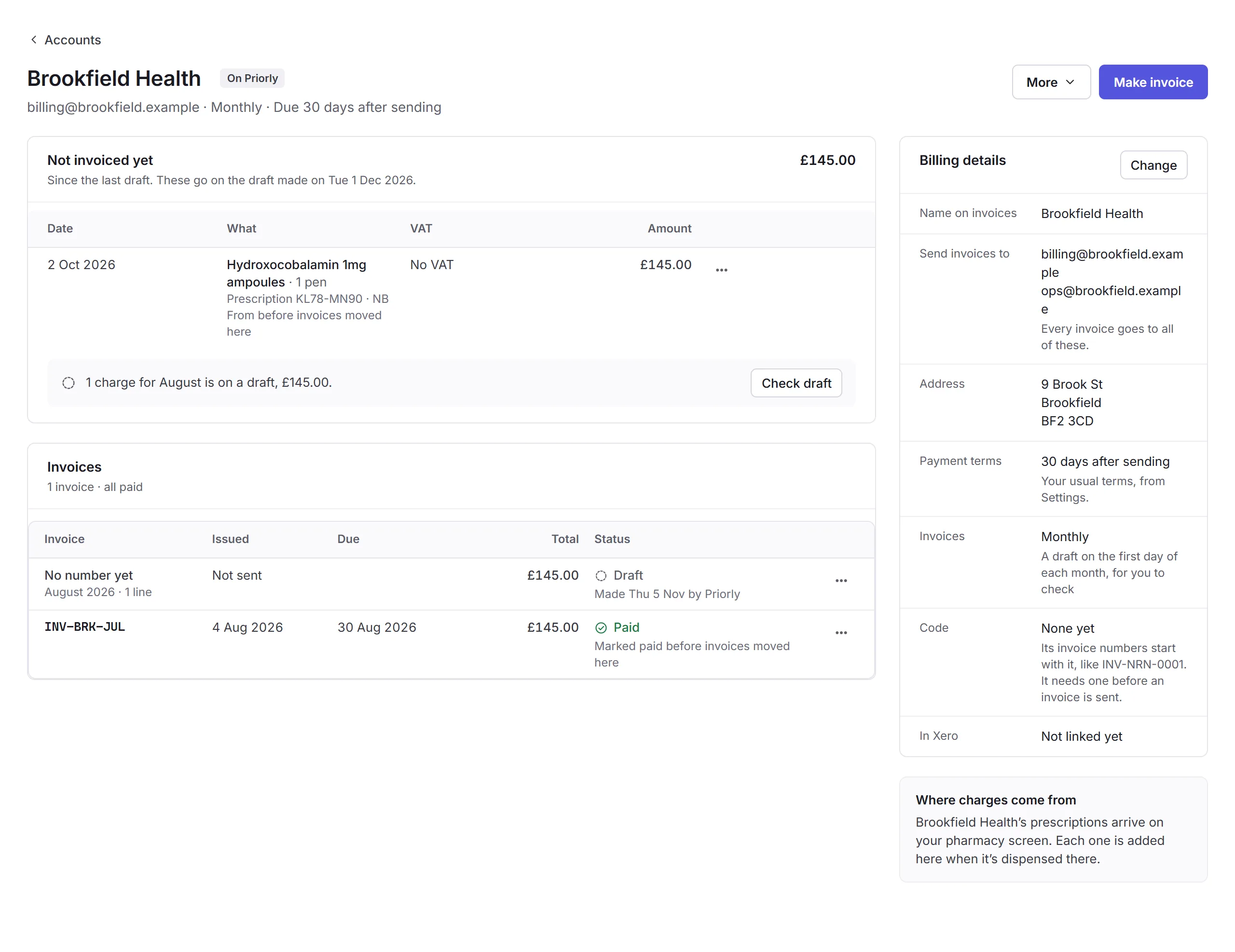
- Not invoiced yet
- Charges waiting for the next invoice. A charge's menu (…) has Don't charge for this…, with a reason, like given free of charge; Charge it after all puts it back.
- Invoices
- Everything you've invoiced them, drafts included.
- Billing details
- Change sets the Name on invoices, up to 5 emails (every invoice goes to all of them), their address, Payment terms, the Code its invoice numbers start with, and, for a business on Priorly, How invoices are made: A draft each month, One for each order, or When you make one. A code can't change once an invoice is sent with it.
Make invoice starts a draft for them. More has Change billing details and Remove account.
Invoice settings
Open the Settings tab, or Invoice settings in the sidebar's settings.
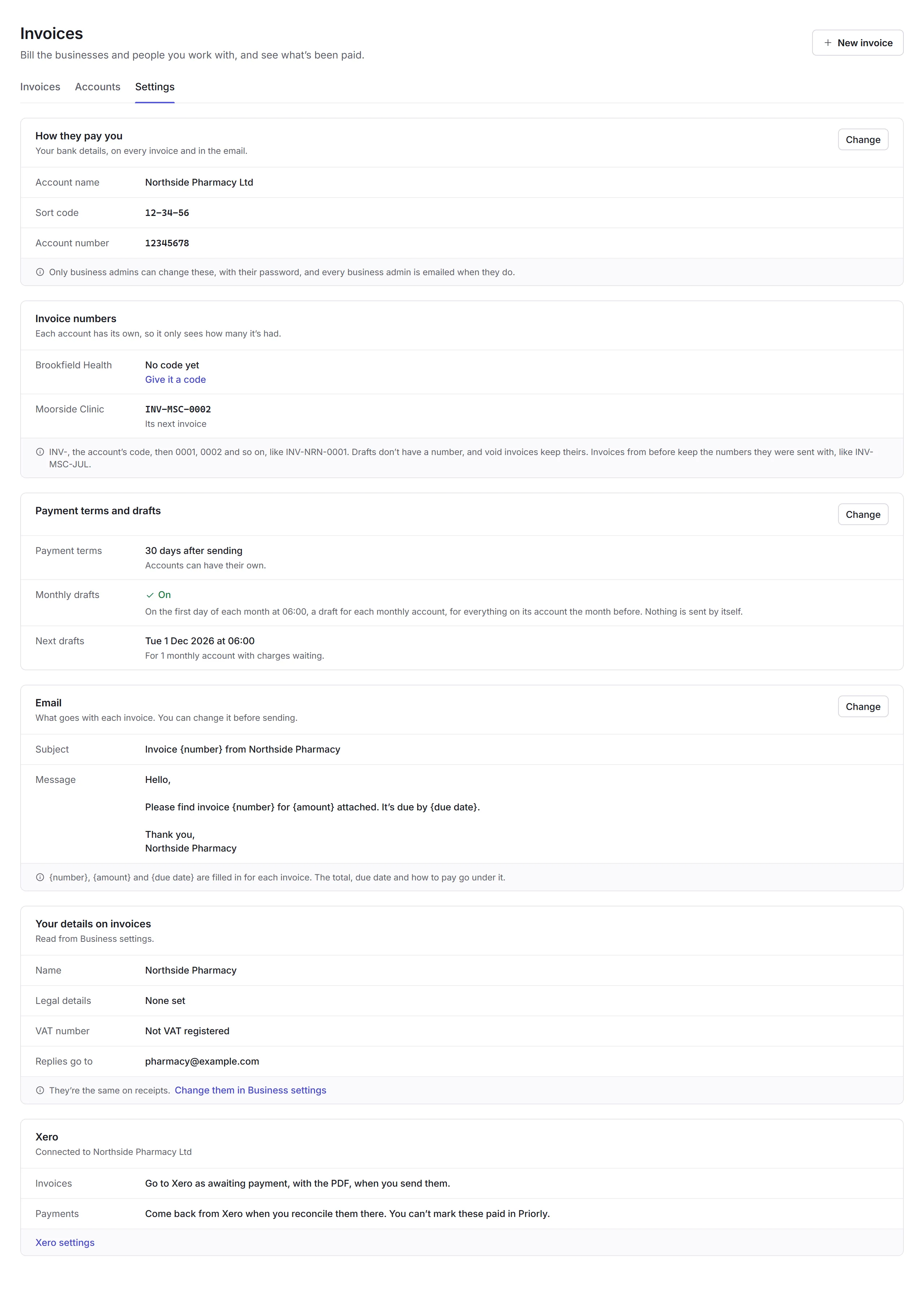
- How they pay you
- Your bank details, on every invoice and in the email. Changing them needs your Priorly password, and every business admin is emailed when they change.
- Invoice numbers
- Each account's next number, or Give it a code for one without.
- Payment terms and drafts
- Your usual terms (accounts can have their own), and whether Priorly makes the monthly drafts.
- The subject and message that go with each invoice; {number}, {amount} and {due date} are filled in. You can still change them before sending.
- Your details on invoices and Xero
- Your name, legal details, VAT number and reply address come from Business settings. Xero is connected in Apps.