A person's page
Click a name on Staff to open their page. Overview shows their week and what's waiting for them; Permissions and Hours set what they can do and when they work. With the matching permissions, Orders, Documents and Calls show their work.
Overview
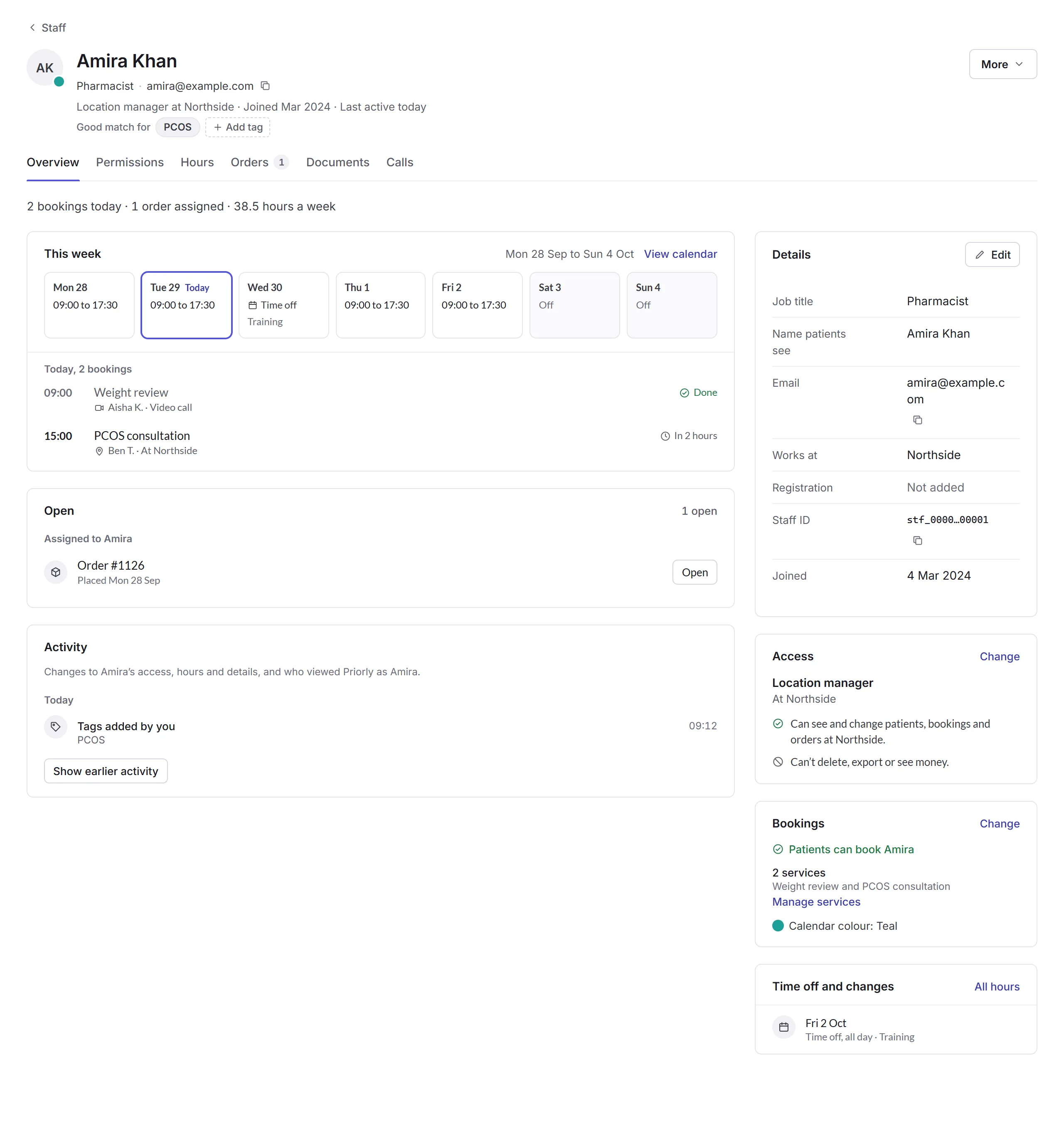
- This week
- Their hours each day, time off, and today's bookings. View calendar opens their week.
- Open and Activity
- What's assigned to them, like orders and tasks; and changes to their access, hours and details.
- Details
- Their job title, the name patients or customers see, email, where they work and their registration. Edit changes them, with their photo and calendar colour.
- Access and Bookings
- What they can do, in plain words (see Permissions and hours), and whether patients or customers can book them, for which services (Manage services). Turning booking off asks first if they have bookings coming up; those stay booked.
- Time off and changes
- Days off or different hours coming up. All hours opens the Hours tab.
Under their name, Good match for tags say what they're good at, like PCOS or weight loss, so your team can choose who to book.
More
- Add time off
- A day or days off, all day or part of one, with a reason. Priorly says if it clashes with bookings.
- Give a task list
- Give them one of your task lists, like for someone new.
- Remove from team
- They can't sign in to your business any more, and are signed out straight away. Their past work keeps their name. Priorly says what's still theirs, like bookings and orders, and asks how long to keep their documents, like a DBS certificate.
For an invitation, More has Resend invitation and Cancel invitation; for someone removed, Invite again.