Permissions and hours
A person's Permissions tab sets what they can do, and where. Their Hours tab sets when they work, which is when patients or customers can book them.
Permissions
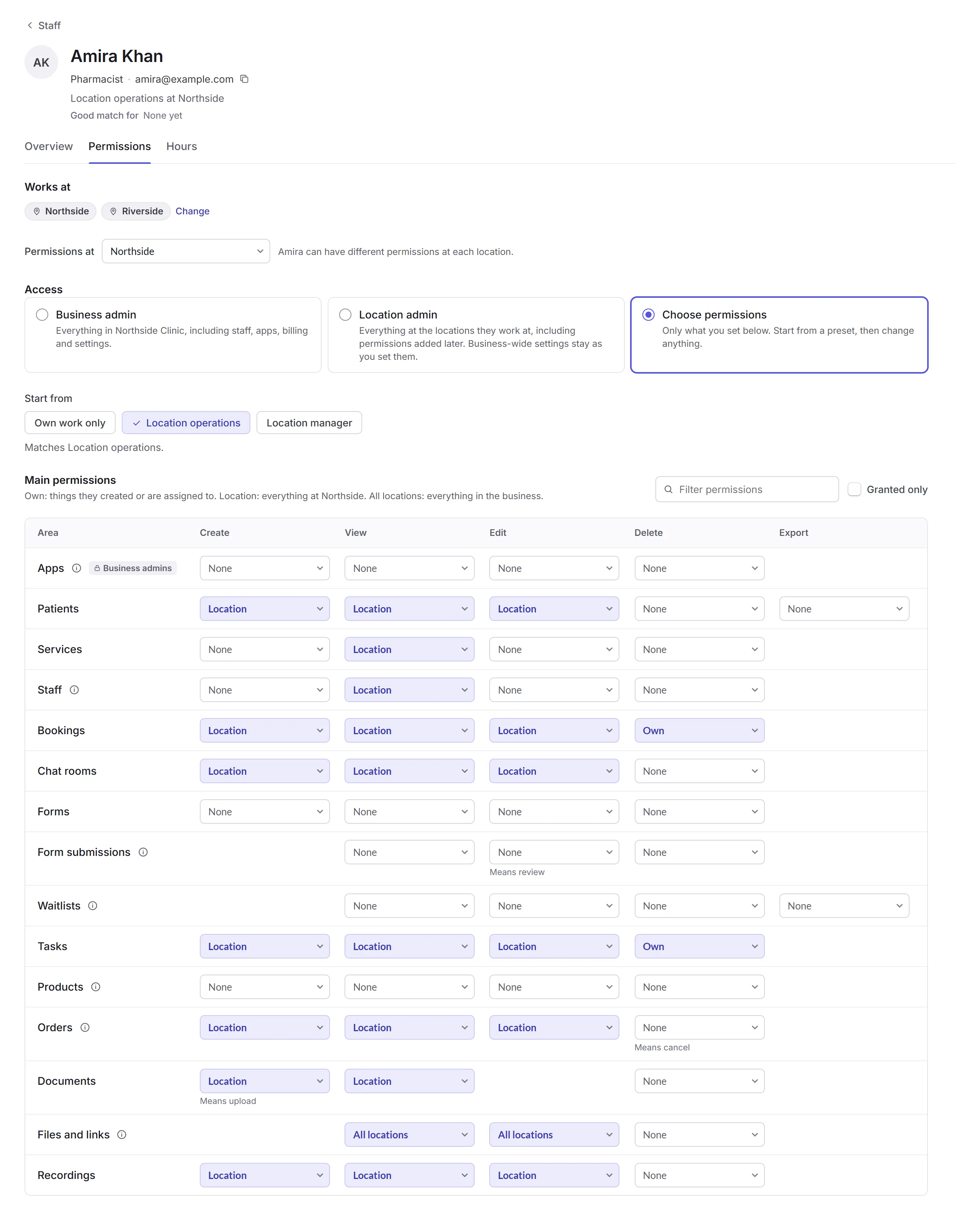
Works at
Where they work. Change adds or takes away a location. With two or more, Permissions at chooses which location you're setting; they can have different permissions at each.
Access
Business admin can do everything in the business, including staff, apps, billing and settings. Location admin can do everything at the locations they work at. Or Choose permissions.
Start from
Pick the closest of Own work only, Location operations or Location manager, or a permission profile you've saved, then change what you need.
Save changes
Review changes lists what's different. Click Save changes.
- None, Own, Location, All locations
- Own is things they created or are assigned to; Location is everything at that location; All locations is everything in the business. Some areas are just None or Allowed, for the whole business.
- More permissions
- Seeing health information, viewing customers' own accounts, using Olly, Secure Documents, managing stock, payments and refunds, coupons, and more.
Apps and Secure Documents permissions only a business admin can change. Save as permission profile keeps a set to give others.
Hours
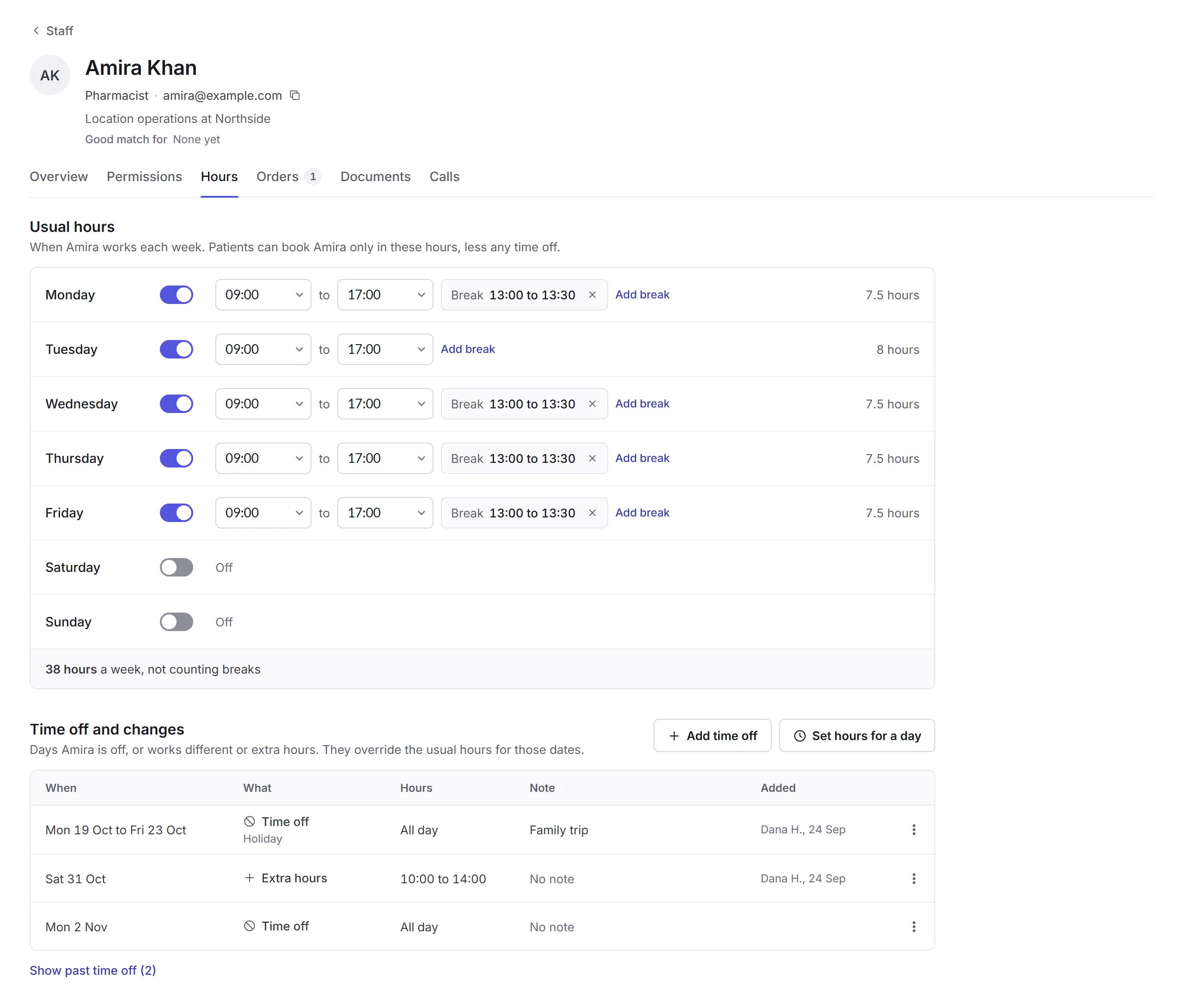
- Usual hours
- Each day on or off, its hours, and breaks (Add break). With two or more locations, Hours at chooses which. Click Save hours. Patients and customers can book them only in these hours, less any time off.
- Time off and changes
- Days they're off, or work different or extra hours, which take the place of their usual hours on those dates. Add time off or Set hours for a day.
Someone with Edit for staff set to Own can change their own hours, name and photo.