Your own reports
Make a report that counts orders your own way, like a fee you pay for each prescription or a commission: choose the orders, work out an amount for each one, and see the total each day.
Making a report
Click New report at the top of Reports. The preview on the right changes as you go.
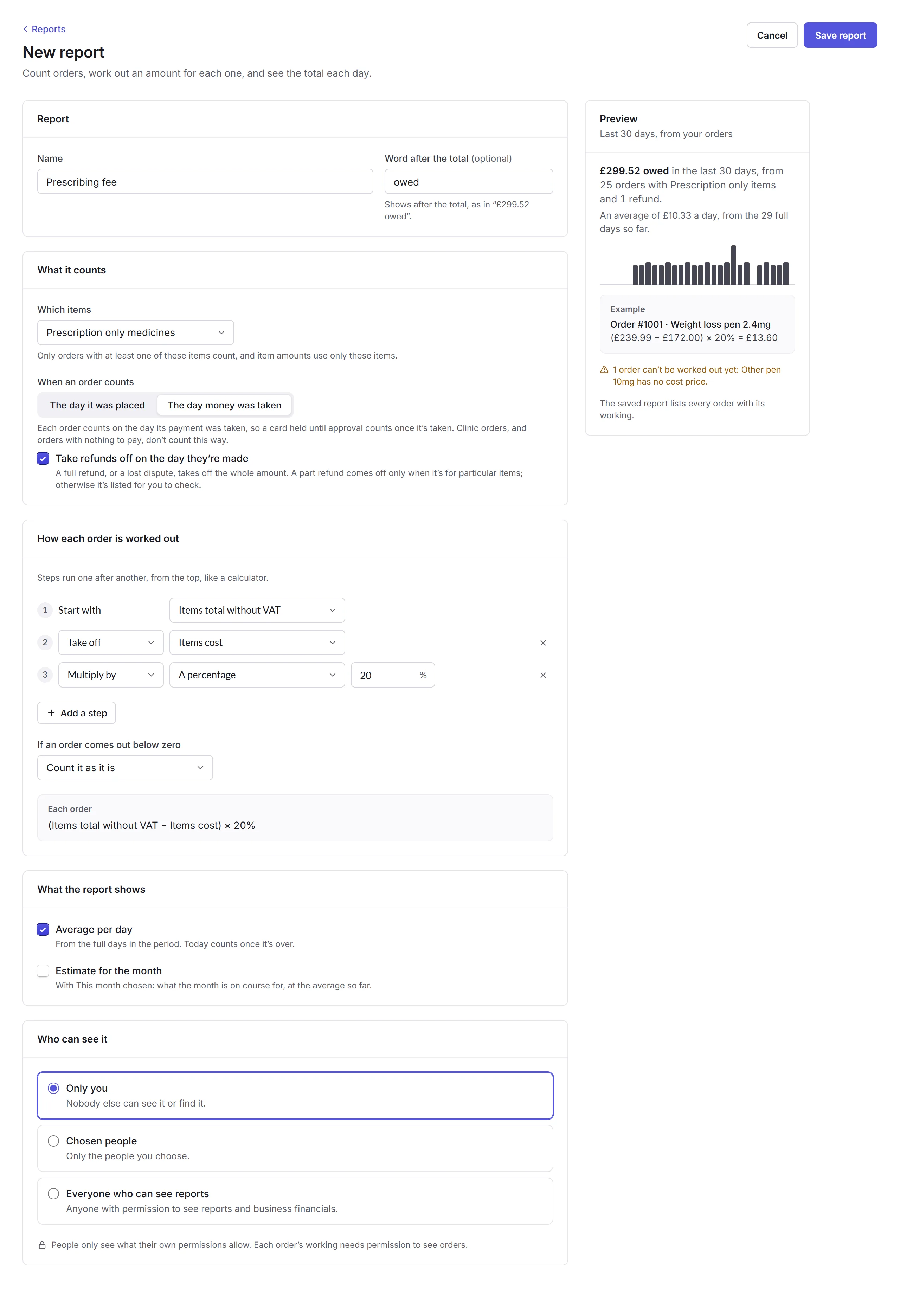
- Report
- Its name, and a word to show after the total, like owed.
- What it counts
- Which items, like prescription-only medicines: only orders with them count, using only those items' amounts. Then whether an order counts on the day it was placed or the day money was taken, and whether refunds come off on the day they're made.
- How each order is worked out
- Steps run one after another, from the top, like a calculator. Start with an amount, like the items total without VAT, then take off, add or multiply by another, like the items' cost, a fixed amount or a percentage. Up to 10 steps.
- What the report shows
- An average for each day, and with This month chosen, an estimate for the whole month.
- Who can see it
- Only you, Chosen people, or Everyone who can see reports. People only see what their own permissions allow.
The preview works out an example order, so you can check the sums, and warns you about any order it can't work out, like one with a product that has no cost price.
The report
Click Save report to open it. It's at the top of Reports from then on, under Your reports.
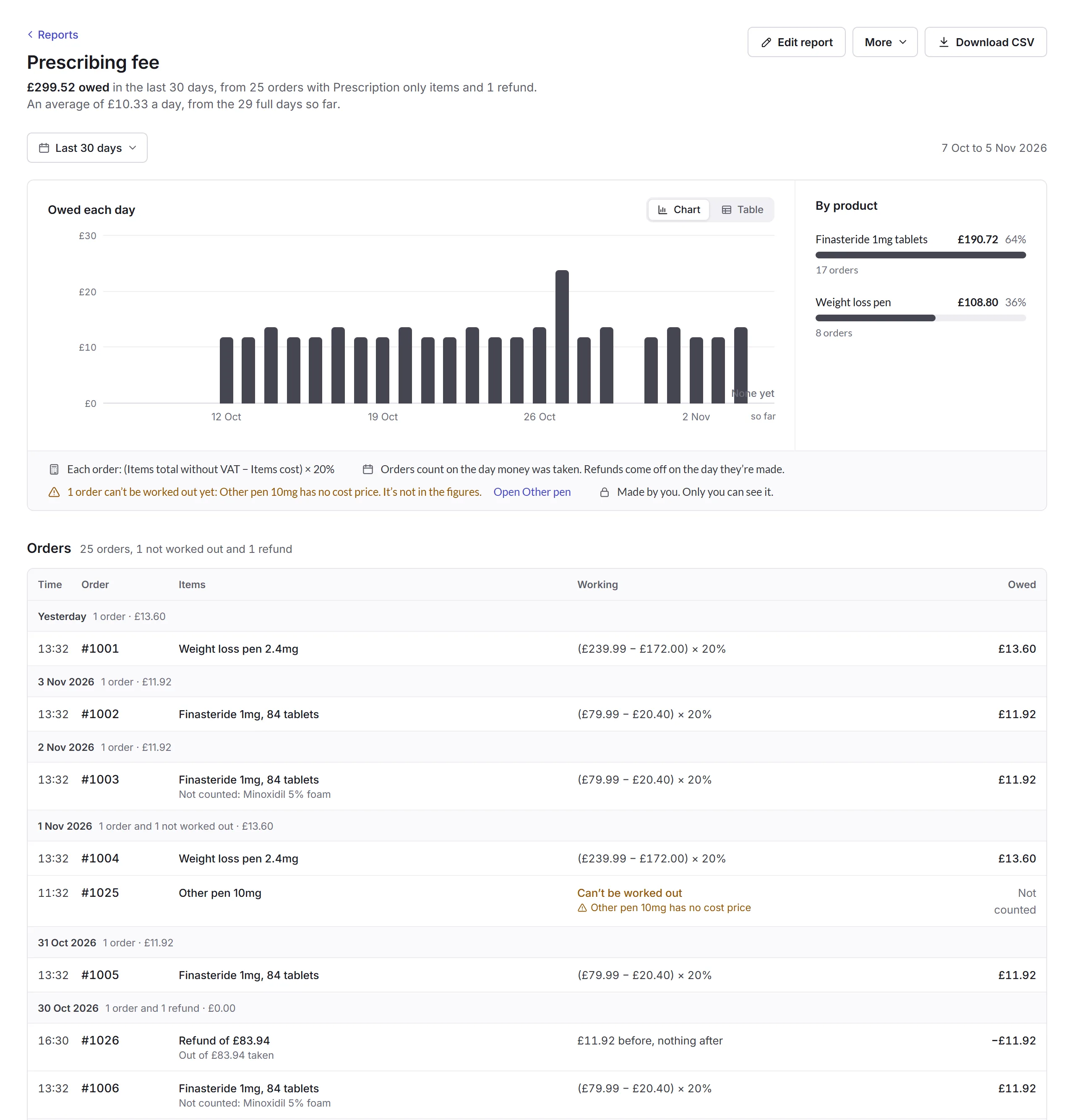
- Orders
- Every order behind the total, with its working. An order that can't be worked out is listed but not counted, with the reason. Click an order's number to open it.
- Edit report
- Change anything about it, in the same steps as making it.
- More
- Duplicate, Changes (every change, newest first), Send a summary… and Delete report, which you can undo straight after.
Send a summary… shares only the report's figures with people on your team, like the prescriber a fee is for: the total, the average a day, the orders counted, the estimate for the month and each day's amount, from this month on. They open it from their Home. They never see the orders, products or working, and don't need permission to see reports.