Signups and emailing
A waitlist's Signups tab shows who's on it, in the order they joined, and where they came from. When it's ready, email them from here.
Signups
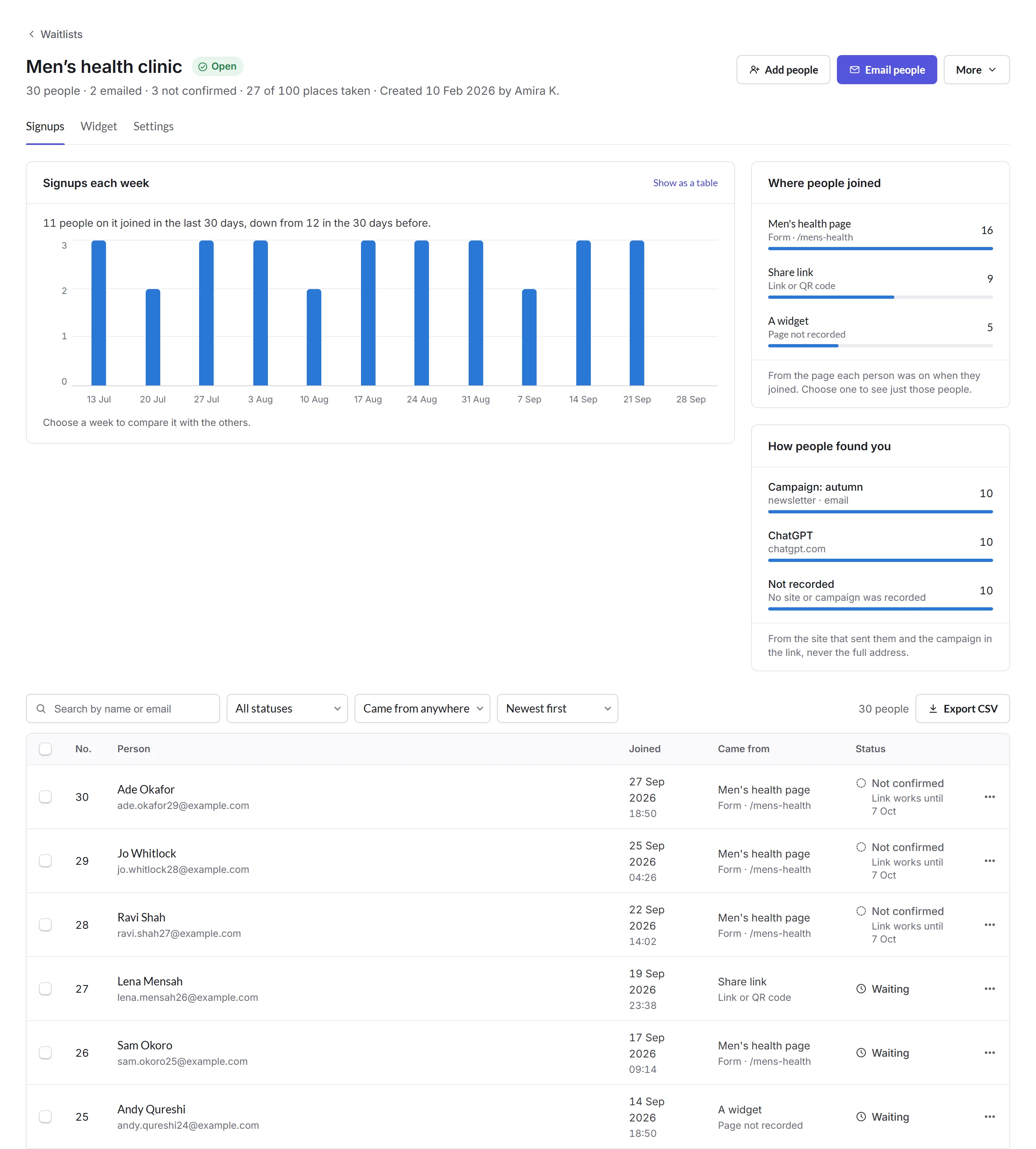
- Signups each week
- A chart, or a table with Show as a table. Choose a week to compare it with the others.
- Where people joined and How people found you
- The page or link each person joined from, and the site or campaign that sent them, never the full address. Choose one to see just those people.
- The people
- Each person's number in line, when they joined, where from, and their status: Waiting, Not confirmed (their confirm link hasn't been clicked yet), Emailed or Couldn't email. Click someone for their details and activity. Tick people to Email them, Export CSV or Remove from waitlist.
Add people adds people who ask at the counter or on the phone: paste their names and email addresses, one per line. Only add people who've asked to join, and tick whether to send them the "You're on the list" email.
Emailing people
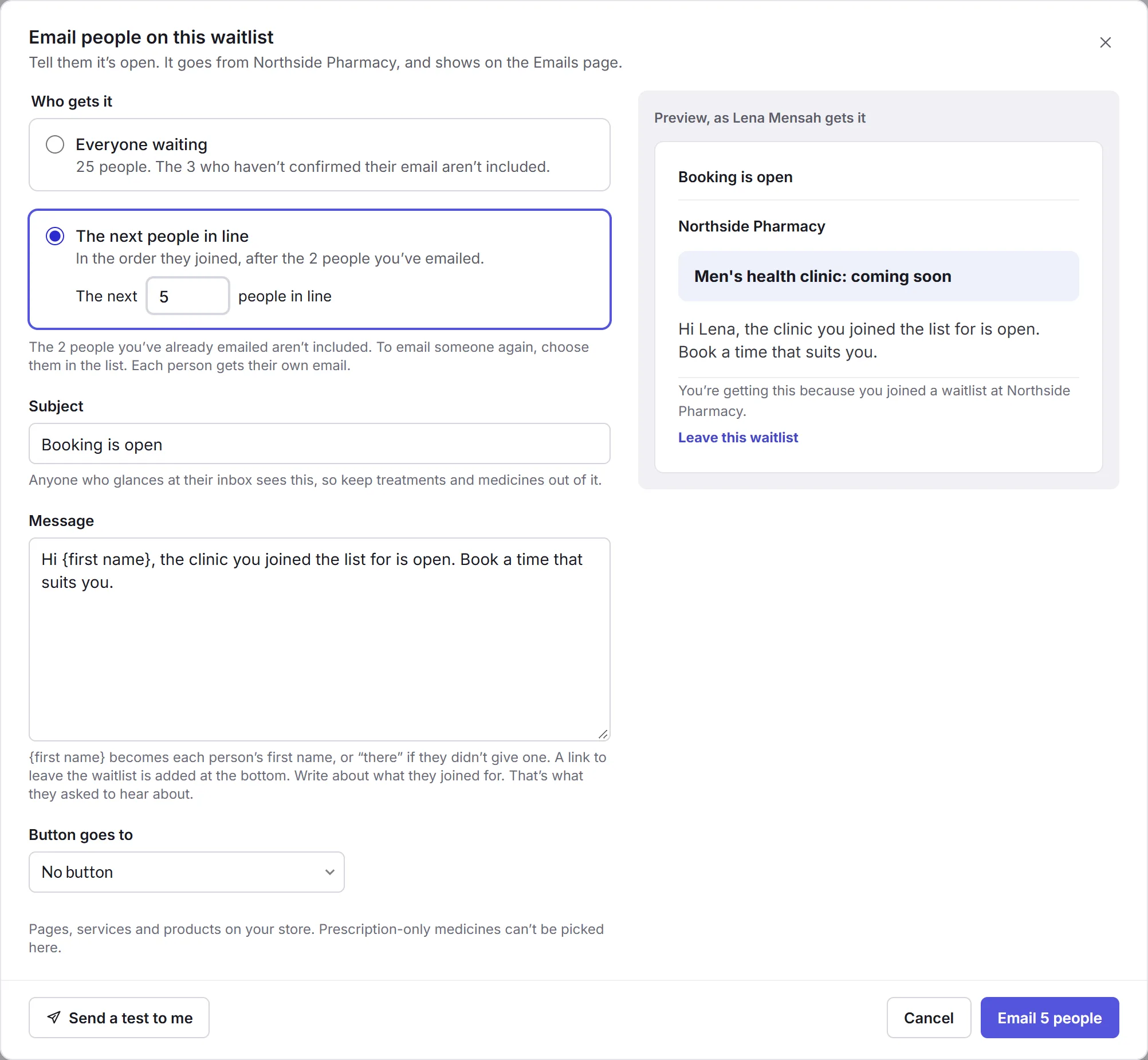
Email people
Click Email people.
Who gets it
Everyone waiting, or The next people in line: as many as you have room for, in the order they joined. People who haven't confirmed their email, and people you've already emailed, aren't included.
What it says
Write a Subject and a Message; {first name} becomes each person's first name. Keep treatments and medicines out of the subject: anyone glancing at their inbox sees it. Add a button to a page, service or product if you like.
Send
Send a test to me first if you like, then click Email. A link to leave the waitlist is added at the bottom.
The emails show on the Emails page, with what happened to each.