Invoices overview
Invoices bills the businesses and people you work with, like the clinics you dispense for. Each clinic on Priorly gets an account by itself, with a draft made each month from what you sent them; you check it, and send it.
Your invoices
Open Invoices from the sidebar. Click an invoice to open it.
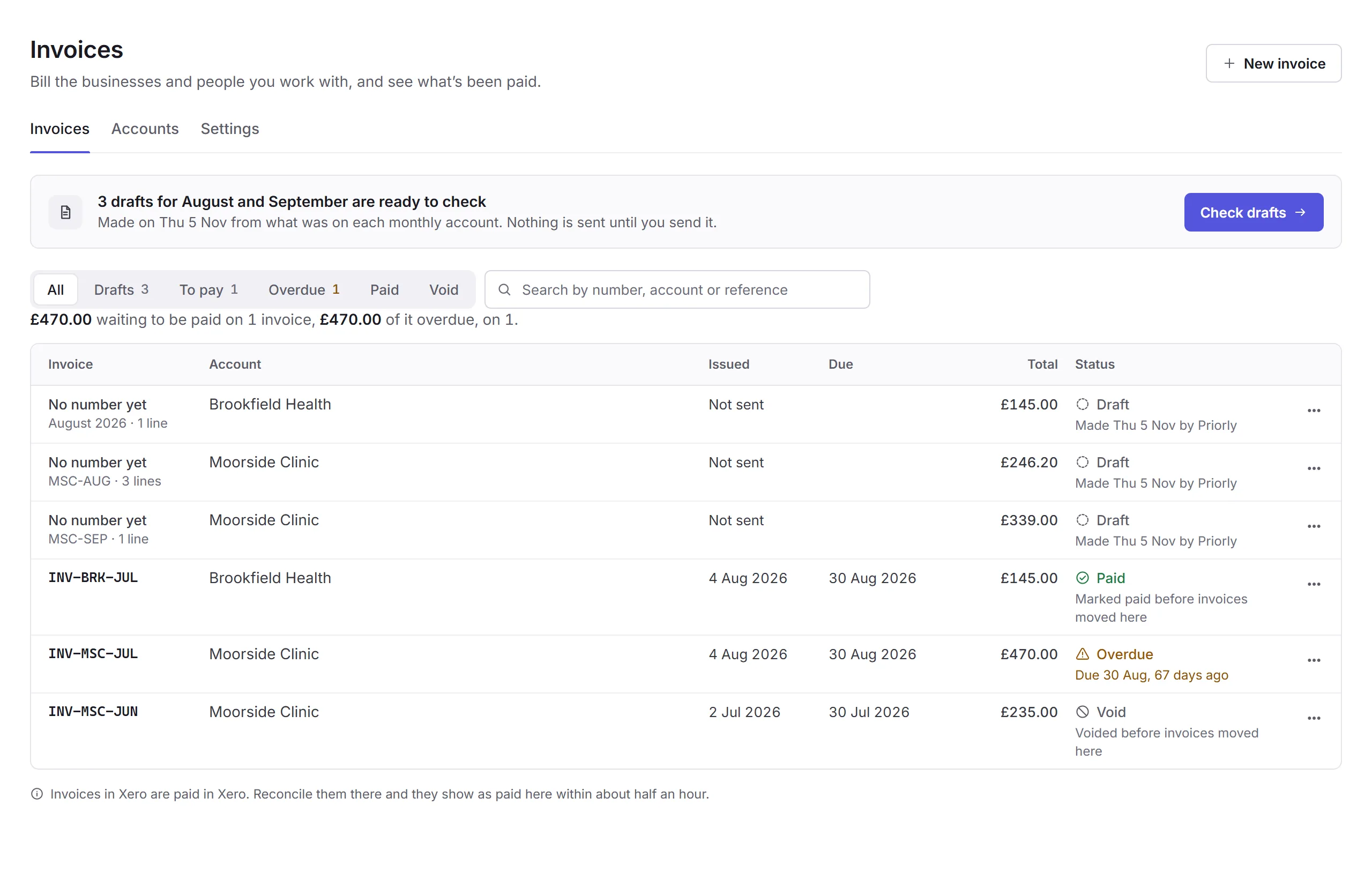
- The tabs
- Invoices, Accounts (who you invoice) and Settings. See Accounts and settings.
- New invoice
- Invoice someone by hand. See Making an invoice.
- Drafts to check
- This month's drafts, made from what's on each monthly account. Check drafts takes you through them one by one. Nothing is sent until you send it.
- Filters and search
- All, Drafts, To pay, Overdue, Paid and Void, and Not in Xero when some haven't gone there. Search by number, account or reference.
- The summary
- How much is waiting to be paid, and how much of it is overdue.
- An overdue invoice
- Each invoice's status: Draft, Unpaid, Part paid, Overdue, Paid or Void, with when it's due. An invoice's menu (…) has Send a reminder… (or Send again…), Download PDF and Void invoice….
Who can use it
Business admins see invoices, and so do location admins with Business financials at every location. Making, sending, voiding and marking invoices paid, and changing accounts and settings, are for business admins only.
Invoices in Xero are paid in Xero: reconcile them there and they show as paid here within about half an hour.
In this section
Carry on with the detailed Invoices guides: