Reviews overview
Reviews shows what customers say about your business, your products and your services, and which ones need a reply. Reviews go live on your website by themselves; anything that looks suspicious waits for Priorly to check it first.
Your reviews
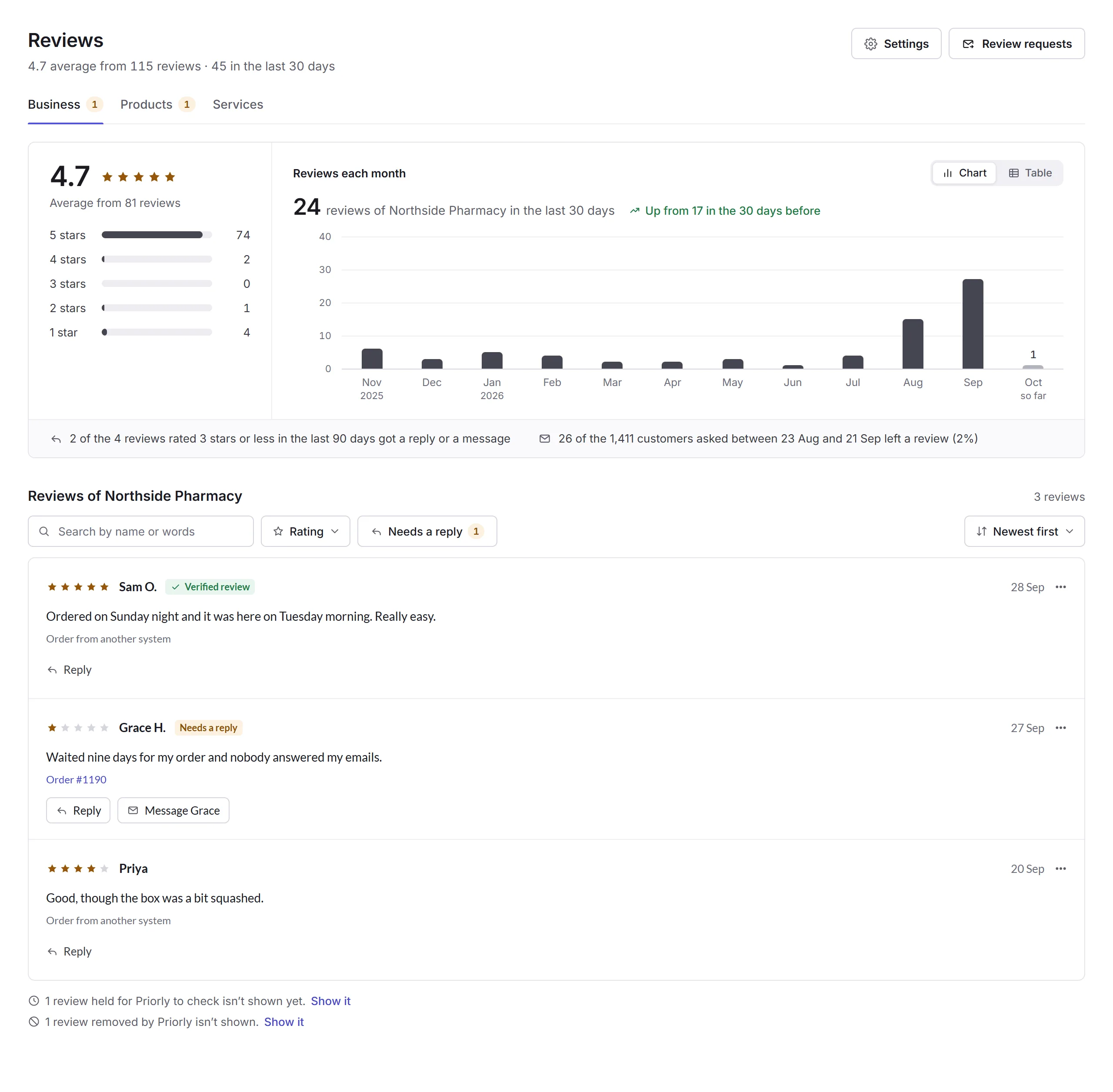
Open Reviews from the sidebar. The tabs are Business, Products and Services, each with how many need a reply.
- The overview
- The average and how many of each star; click a row to see only those. Reviews each month shows as a chart or a table. Under it: how many low ratings got a reply, and how many customers asked left a review.
- By product or By service
- On the Products and Services tabs, each one's rating, reviews and latest review.
- The reviews
- Search by name or words, choose a Rating, show only those that Need a reply, and sort them. Each shows where it came from, like an order or your reviews page, and Verified review when it came from a real order.
Replying
Click Reply, write your reply (up to 1,000 characters), and click Post reply. It shows under the review on your website. A posted reply has Edit and Delete.
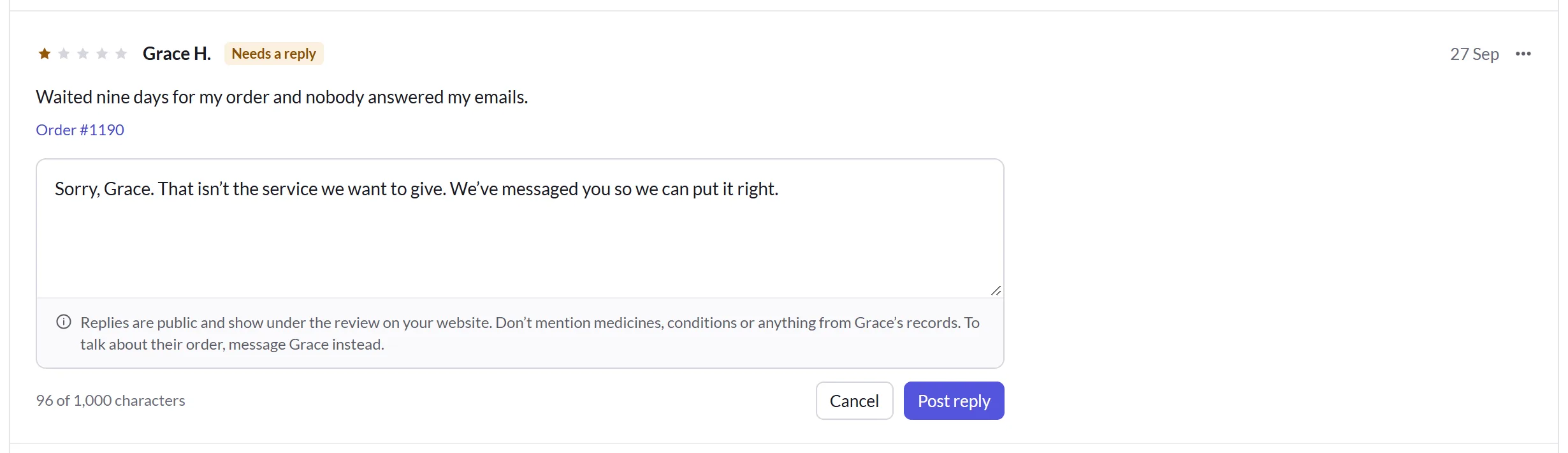
To talk to them privately instead, use Message. A review's menu (…) also opens its order or booking and the customer's record, and has Doesn't need a reply for one you've dealt with.
Reporting a review
You can't hide or delete a review yourself. If one breaks the rules, choose Report to Priorly from its menu, say why, and click Report review. Priorly checks it. One that shares someone's personal or health details is hidden straight away.
Reviews held for Priorly to check, and any Priorly has removed, aren't shown on your website; a line under the list says how many, with Show it.
Who can use it
Business admins, location admins, and staff with the Reviews permission for their location or all locations. Settings, which sets how names show on product and service reviews, and Review requests' settings are for business admins.
In this section
Carry on with the detailed Reviews guide: