A coupon's page
A coupon's page is cards down the left for what it does, and on the right a summary in words and how it's been used. Change anything, then click Save.
The page
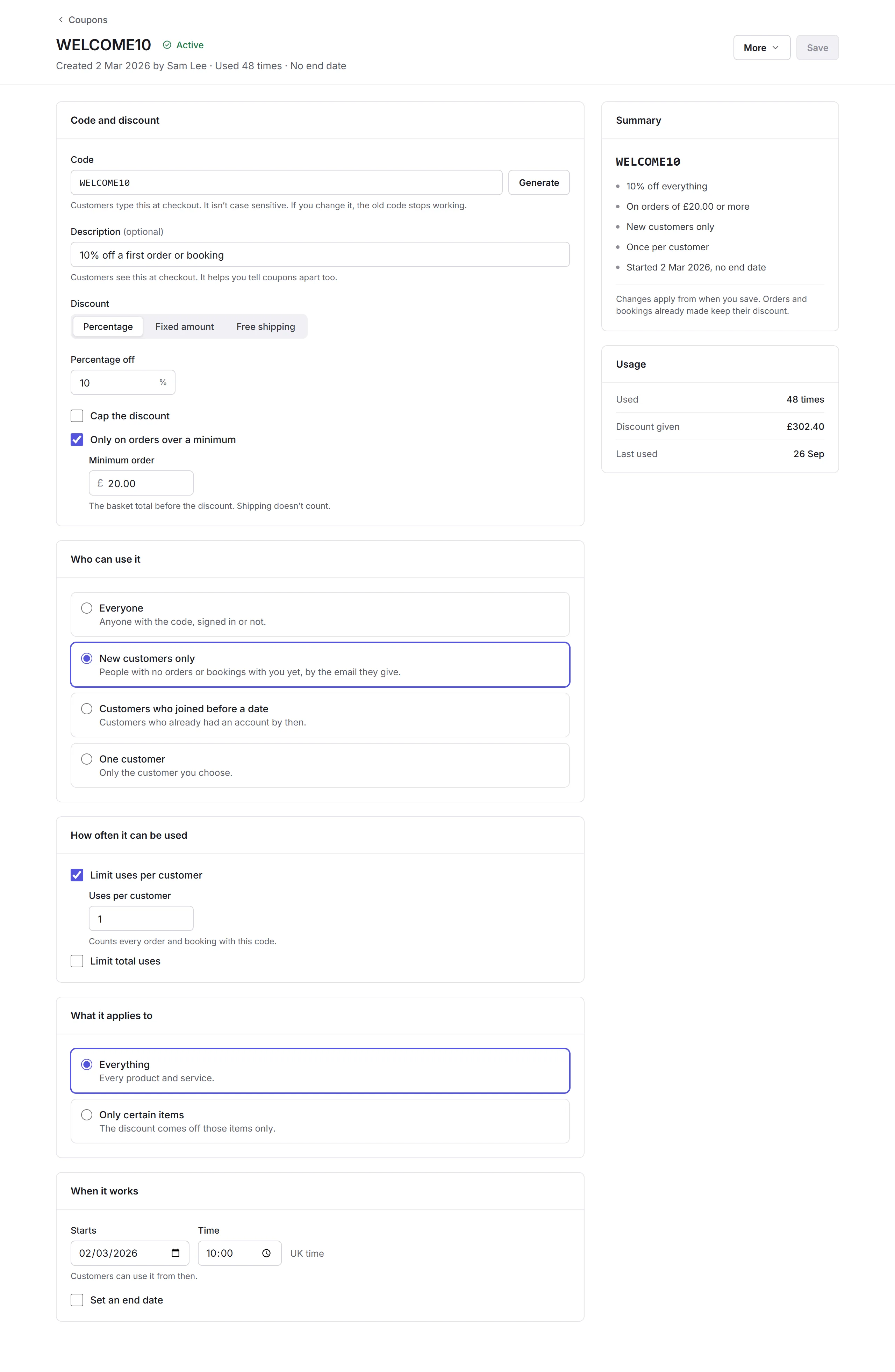
- Code and discount
- The Code (not case sensitive; changing it stops the old one working) and a Description customers see at checkout. The Discount: a Percentage, which you can cap, a Fixed amount, or Free shipping. Your store's checkout doesn't take free-shipping codes yet; they work on forms and on orders your team makes. Tick Only on orders over a minimum for a minimum basket, before the discount and shipping.
- Who can use it
- Everyone with the code, New customers only (no orders or bookings with you yet, by the email they give), Customers who joined before a date, or One customer you choose.
- How often it can be used
- Limit uses per customer (once each to begin with) and Limit total uses. Every order and booking with the code counts.
- What it applies to
- Everything, or Only certain items: add products, services or event tickets, and the discount comes off those only. With two or more locations, you can choose which.
- When it works
- When it Starts, in UK time, and, if you tick Set an end date, when it Ends.
Changes apply from when you save; orders and bookings already made keep their discount. More has Copy code, Duplicate, End now and Delete.
Codes for medicines
You can put prescription-only medicines on a coupon. Name the code for who it's for, like a new customer or a men's health code, never for the medicine.