Review requests
Priorly can email customers to ask for a review: after an order on your Priorly website, or when another system you sell through copies Priorly in on its order emails.
The page
On Reviews, click Review requests.
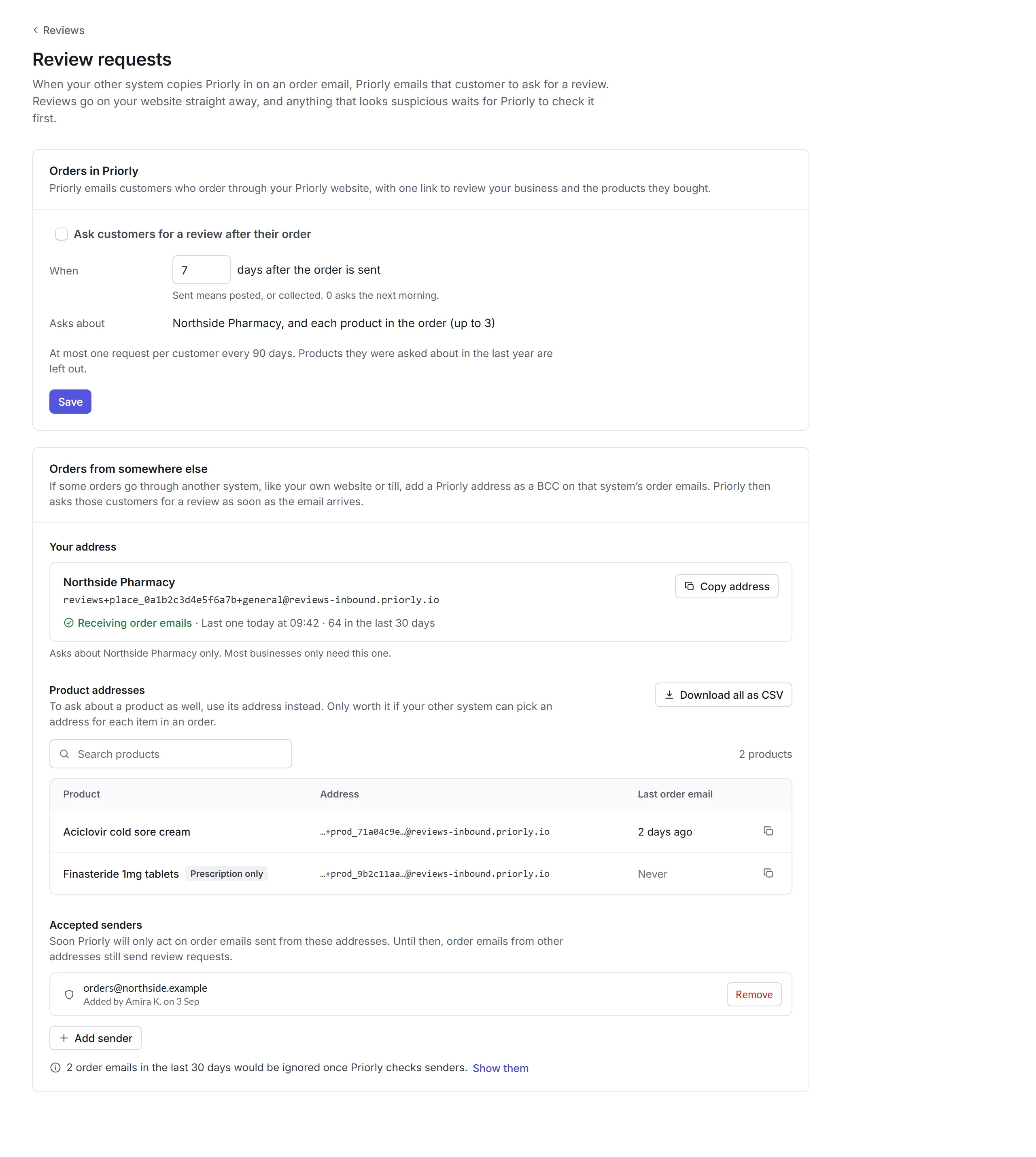
Orders in Priorly
Tick Ask customers for a review after their order, choose how many days after the order is sent (or collected), and click Save. The email asks about your business and up to 3 products in the order, with one link. A customer is asked at most once every 90 days, and not about a product they were asked about in the last year.
Orders from somewhere else
Copy your address
Under Your address, click Copy address.
Add it to the other system
Add it as a BCC on that system's order emails, like your own website's or your till's. Priorly asks each customer for a review as soon as the email arrives, and the card says when the last one came in.
Products too, if you like
Each product has its own address, under Product addresses, which asks about that product as well. It's only worth it if the other system can pick an address for each item. Download all as CSV gets them all.
Accepted senders lists the addresses order emails come from. Soon Priorly will only act on emails from these, so add yours with Add sender.