Review layouts
When your team checks an order in quick view, item review shows what they need under each item. A review layout decides what that is. Every product uses Default until you give it a layout of its own.
Your layouts
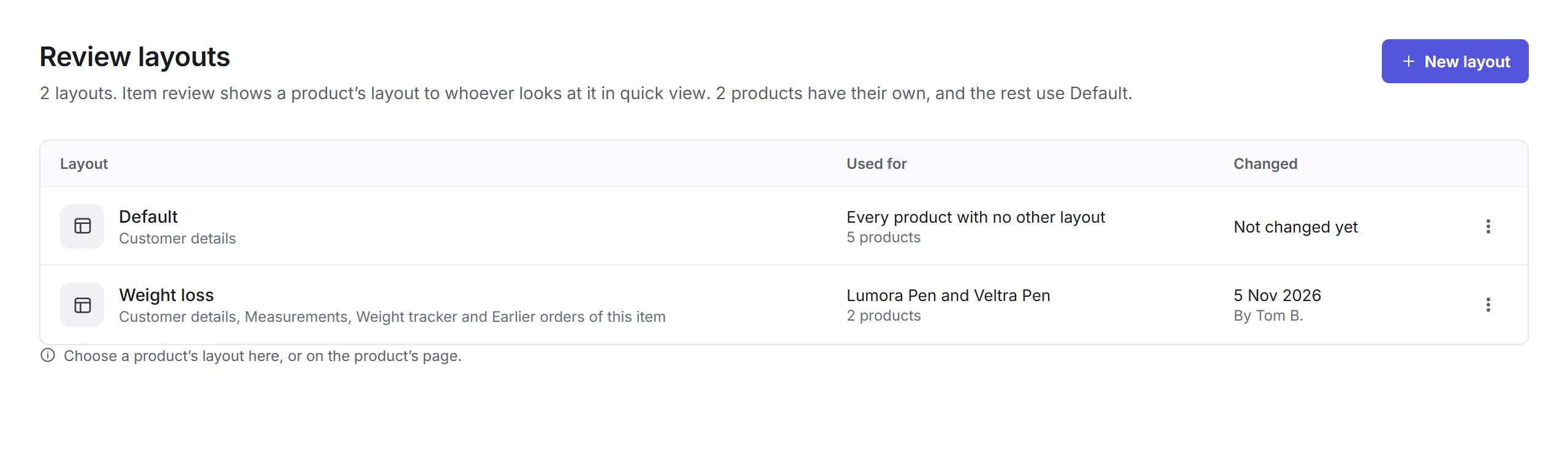
Open Review layouts, under Products in the sidebar. Each layout shows its sections, the products it's used for, and when it was last changed. A layout's menu has Duplicate and Delete.
Making a layout
New layout
Click New layout, give it a name, like Weight loss, and click Create layout. It starts with Default's sections.
Its products
Under Used for, click Add product. A product uses one layout, so Priorly tells you which layout it's leaving before you save. You can also choose a product's layout on its page, under Review layout.
Its sections
Click Add a section, then drag the sections into the order your team reads them.
Save
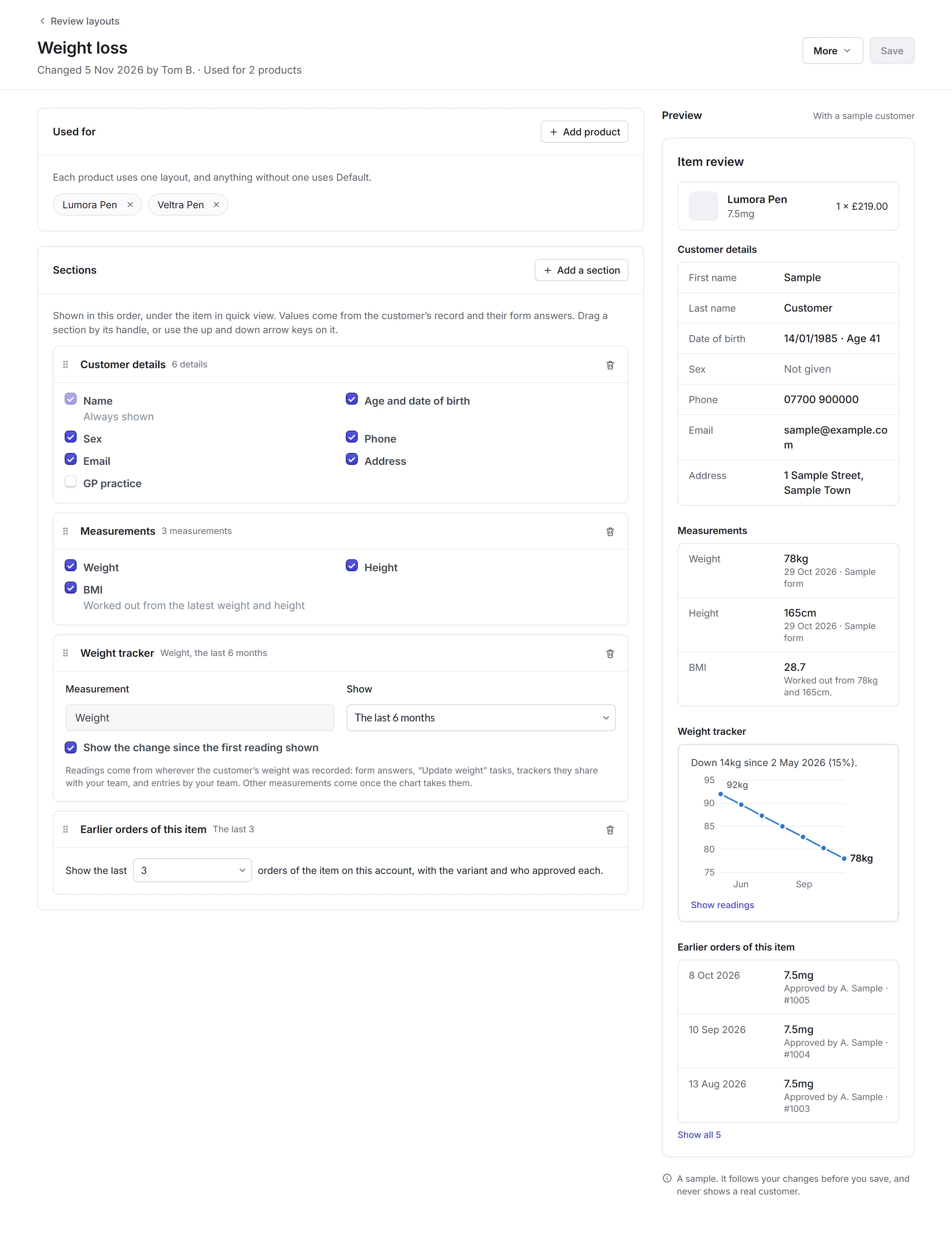
The Preview shows item review with a sample customer as you go, never a real one. Click Save.
Sections
Values come from the customer's record and their form answers.
- Customer details
- Their name, always, then whichever you tick: age and date of birth, sex, phone, email, address, and your own customer fields, like GP practice.
- Measurements
- Weight, height and BMI, worked out from the latest weight and height.
- Weight tracker
- A chart of the customer's weight over the time you choose, and, if you tick it, the change since the first reading shown. Readings come from form answers, "Update weight" tasks, trackers customers share, and entries by your team.
- Earlier orders of this item
- The last few orders of the same item on this account, with the variant and who approved each.
- Key answers
- Answers to questions you pick from your forms, starting with the forms these products use.
A layout's More menu has Rename, Duplicate and Delete layout. Default is built in: it can't be renamed or deleted, and its products are the ones with no other layout.