Payment links
A payment link lets someone pay by card from an email or a message: for a booking waiting for payment, or an order that owes something after it changed, like a dearer item. Anyone with the link can pay it, until it's paid, cancelled or it expires.
Your links
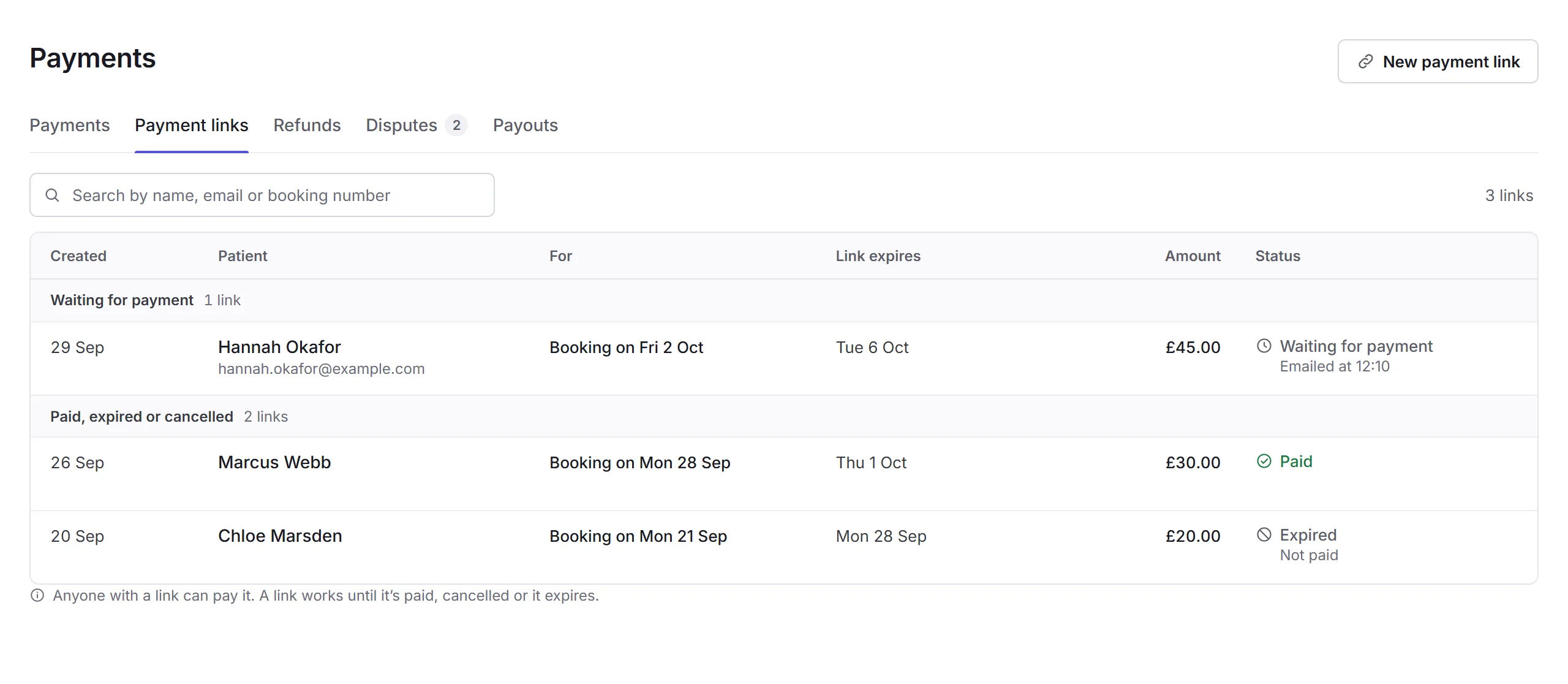
Open Payments, then Payment links. Links waiting for payment come first; then those paid, expired or cancelled.
Making a link
New payment link
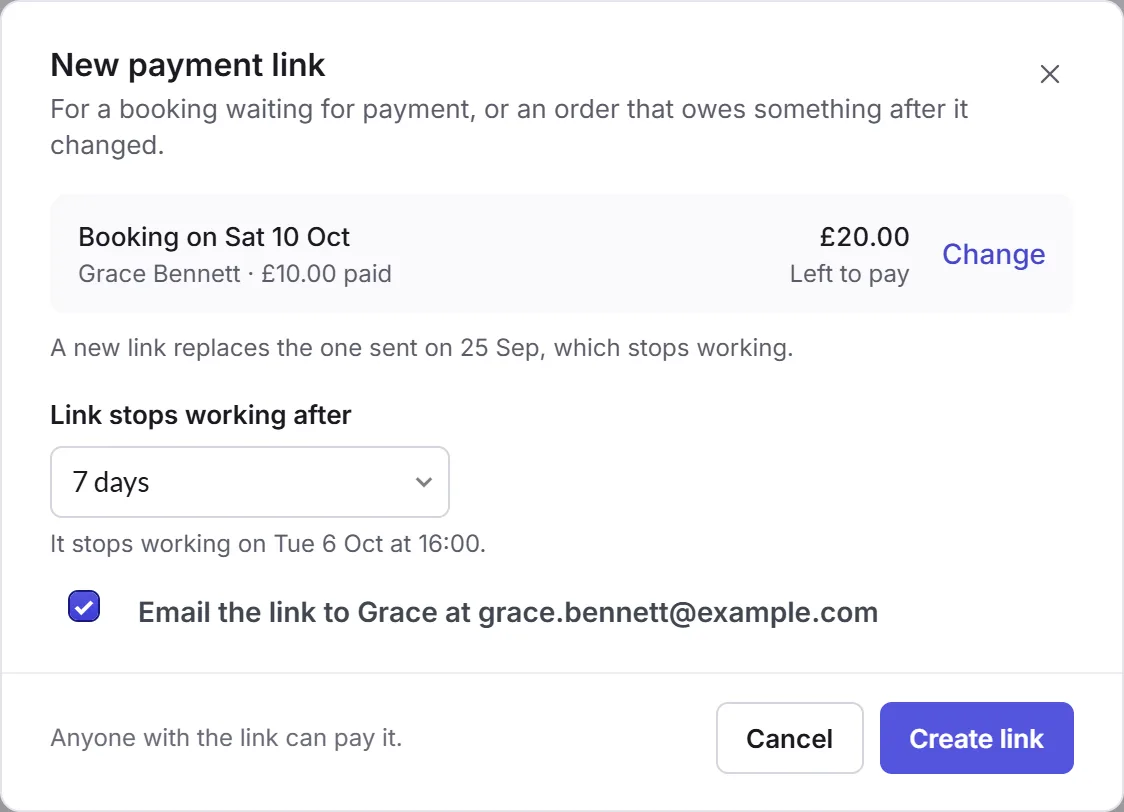
Click New payment link, on any Payments tab.
What it's for
Search for the booking or order, and choose it. It shows what's left to pay. A new link replaces one sent before, which stops working.
How long
Choose when the Link stops working after: 1, 3, 7 or 14 days.
Create link
Leave Email the link ticked to send it to them, and click Create link.
A link
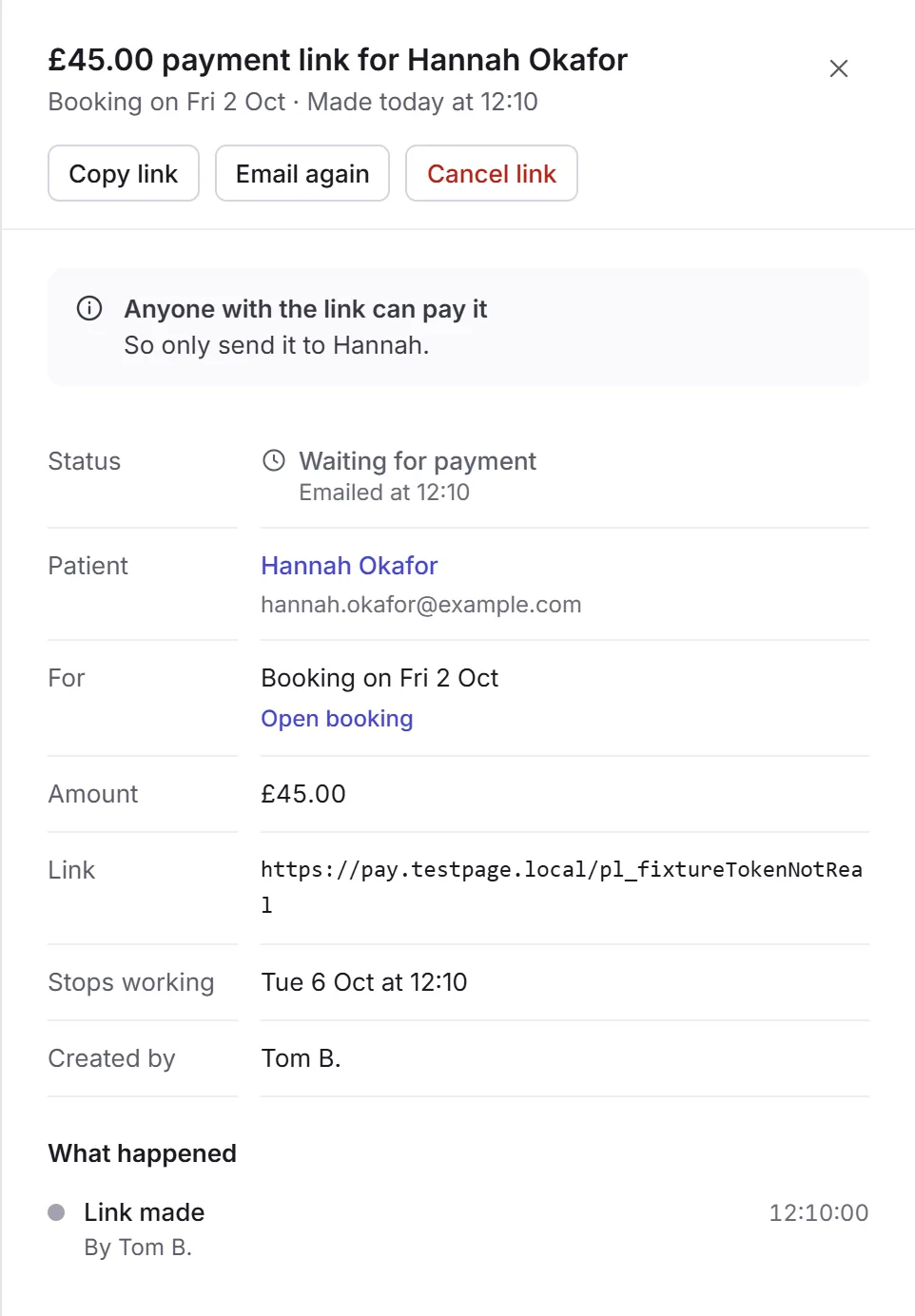
Click a link to see its details: Copy link, Email again, and Cancel link, which asks first. Its status is Waiting for payment, Paid, Expired or Cancelled.
Payment links are for business admins, location admins, and staff who can issue refunds.