Emails
Emails is a log of every email Priorly sends for your business: order and booking emails, reminders, payment links, and emails to your team. It shows who each one went to and what happened to it, not what it said. It doesn't send or change anything.
The log
Open Emails from the sidebar. Emails are grouped by day, newest first. Problems shows only those that didn't arrive. Search by name, email, subject or order number, and choose who they were Sent to: everyone, customers (or patients), or your team.
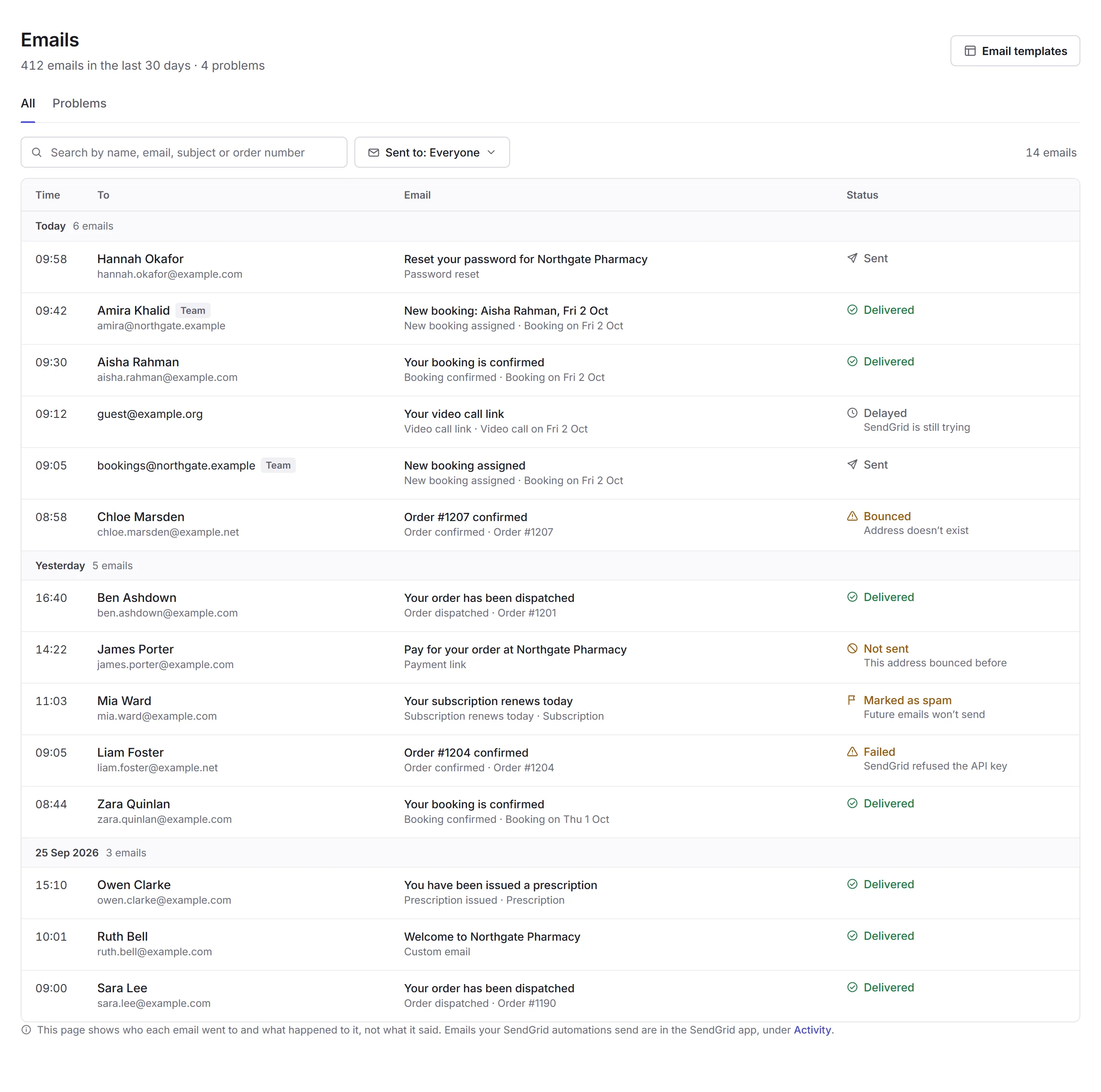
- Sent and Delivered
- Handed to SendGrid, and accepted by the person's email provider.
- Delayed
- SendGrid is still trying.
- Bounced
- It didn't arrive, usually because the address doesn't exist. Check the address with them.
- Not sent
- Priorly didn't send it, for example because the address bounced before.
- Marked as spam
- They marked it as spam, so future emails to them won't send.
- Failed
- It couldn't be sent, like when SendGrid refuses your account's key.
An email
Click an email to see what happened to it: who it went to and from, when, which email it was and what it was about, what their email provider said if it didn't arrive, and each step it went through.
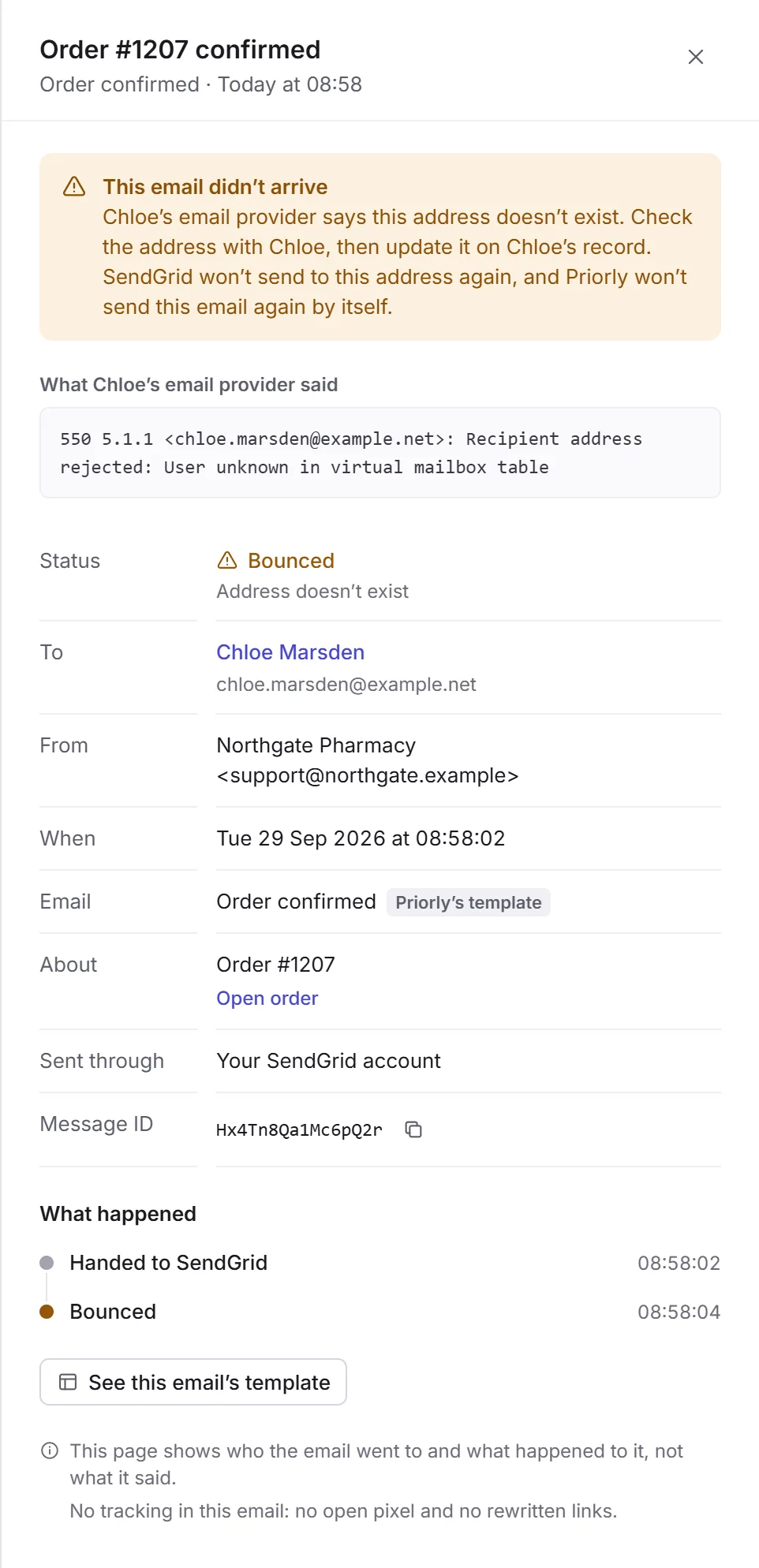
See this email's template, and Email templates at the top, open the SendGrid app, where emails are designed and sent. They show to business admins and staff with Emails access across the business.
Who can use it
Staff with the Emails permission. Each email also follows what they're allowed to see of the customer, staff member or record it's about.