Exports
Download orders as a CSV file to open in a spreadsheet: every order in a tab, or one order, with the columns you choose.
Exporting orders
- In the Orders list, show the orders you want: choose the tab and the queue, and search or filter if you want to.
- Choose Export CSV in the toolbar.
- Tick the columns you want, then choose Export CSV.
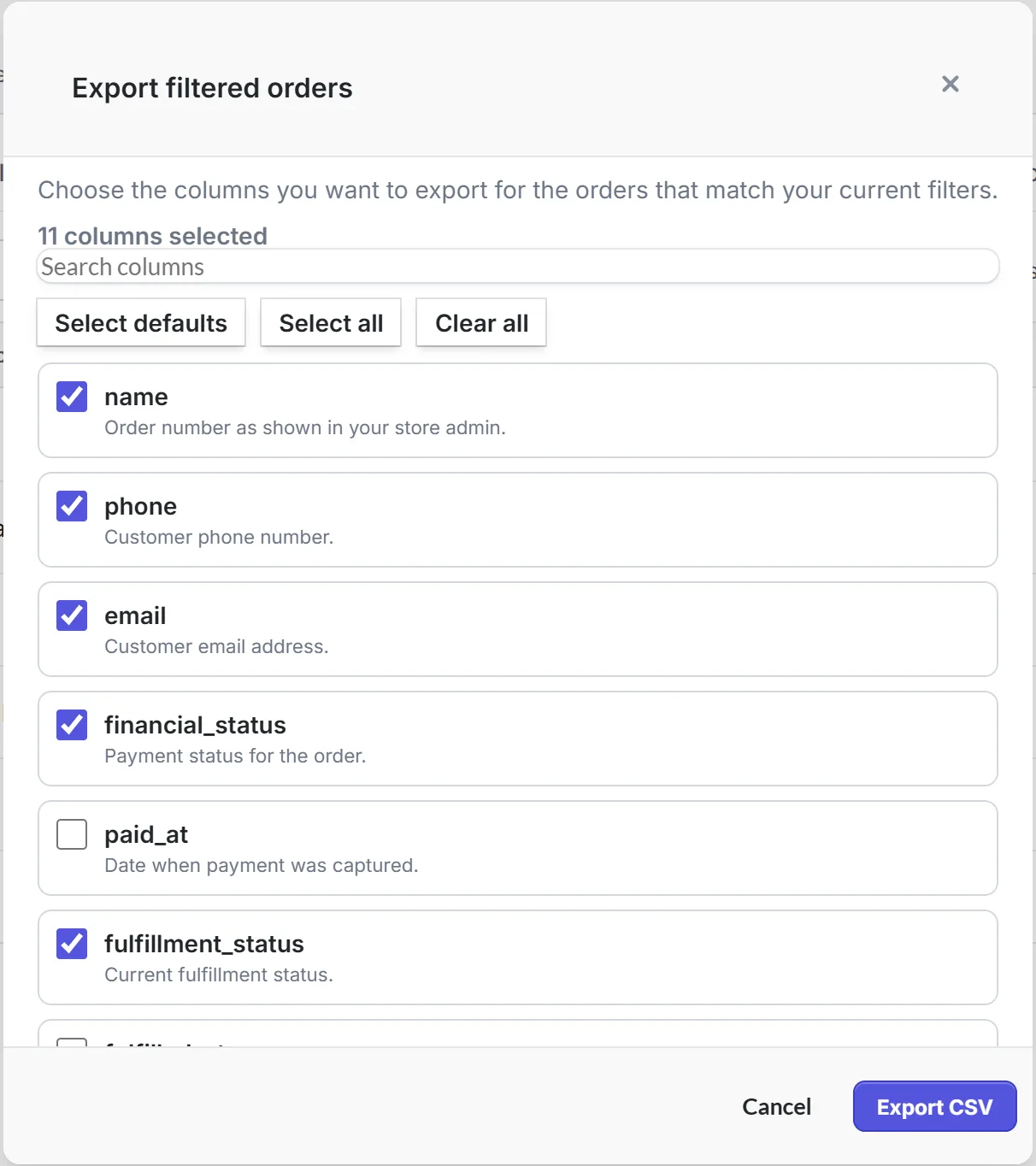
The export has exactly the orders the list shows, with its tab, queue, search and filters, newest first: every page of them, not only the one on screen. Ticked orders aren't exported on their own.
To export one order, open it and choose More, then Export order.
Choosing columns
Eleven columns are ticked to begin with: name, phone, email, financial_status, fulfillment_status, currency, subtotal, shipping, taxes, total and created_at. Select defaults goes back to them, Select all ticks every column, and the search box finds one by name. Priorly remembers your choice for next time.
The file has one row for each item, so an order with three items has three rows, with the order's details on each.
The columns
- The order
- name, phone, email, financial_status, paid_at, fulfillment_status, fulfilled_at, currency, subtotal, shipping, taxes, total, discount_code, discount_amount, shipping_method, created_at.
- Each item
- line_item_quantity, line_item_name, line_item_price, line_item_sku, line_item_requires_shipping, line_item_taxable, line_item_fulfillment_status, weight.
- Addresses
- billing_name, billing_street, billing_address_1, billing_address_2, billing_company, billing_city, billing_zip, billing_country, billing_phone, and the same for shipping.
- Afterwards
- notes, cancelled_at, payment_references, refunded_amount.
Amounts are in pounds and pence, dates are in ISO format, like 2026-09-27T11:00:00Z, and yes or no columns say TRUE or FALSE. A refund doesn't change financial_status: refunded_amount says how much has been refunded.
The file is called orders-export- with the date, like orders-export-2026-09-27.csv, or order- with the number for one order. You need permission to view orders.