Payouts
Ryft pays what's been taken into your bank account, less its fees, usually within 2 working days of each payment. Each of those is a payout.
Your payouts
Open Payments, then Payouts. Each payout shows its date, the bank account it went to, how many payments it includes, the amount and its status: On its way, Being checked, Paid out, Didn't go through or Returned.
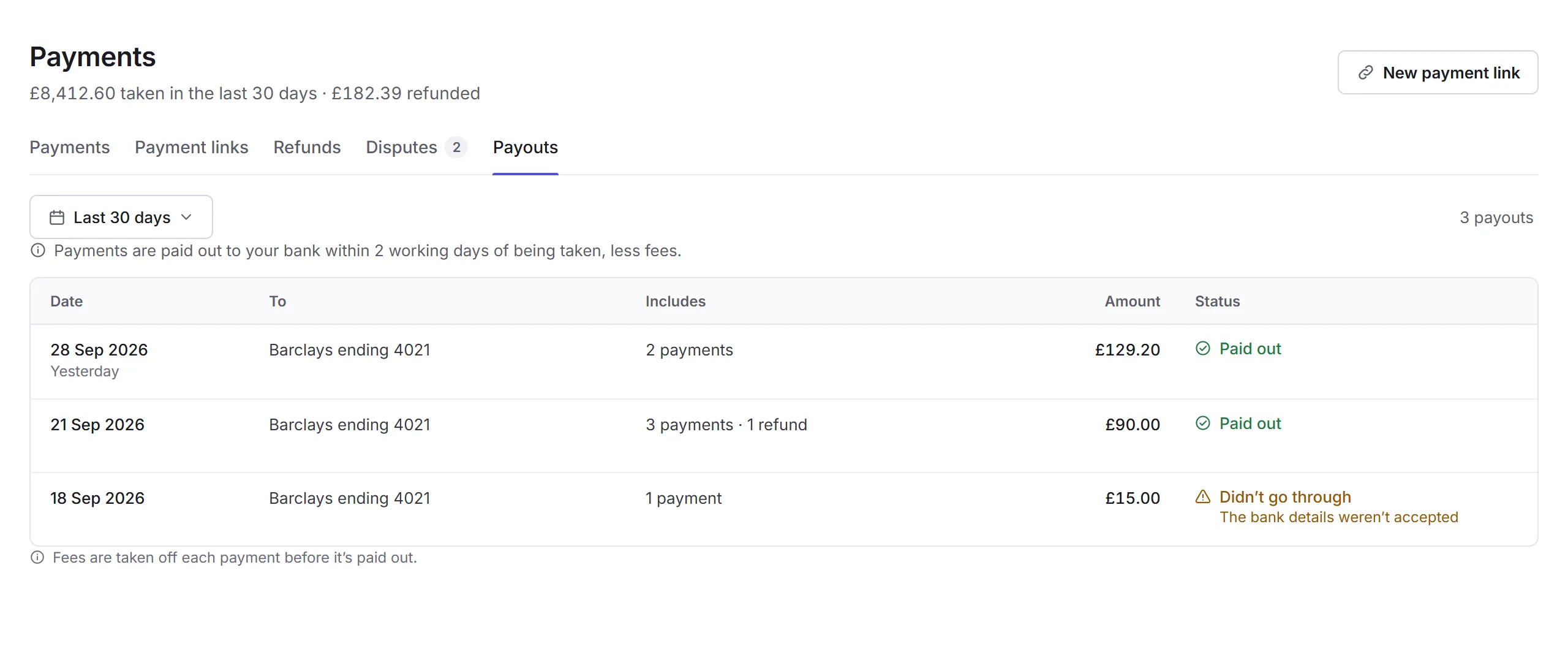
Payouts shows to people who can see the business's finances, across all locations.
A payout
Click a payout to see what's in it: the payments taken, less the fees, and what was paid out.
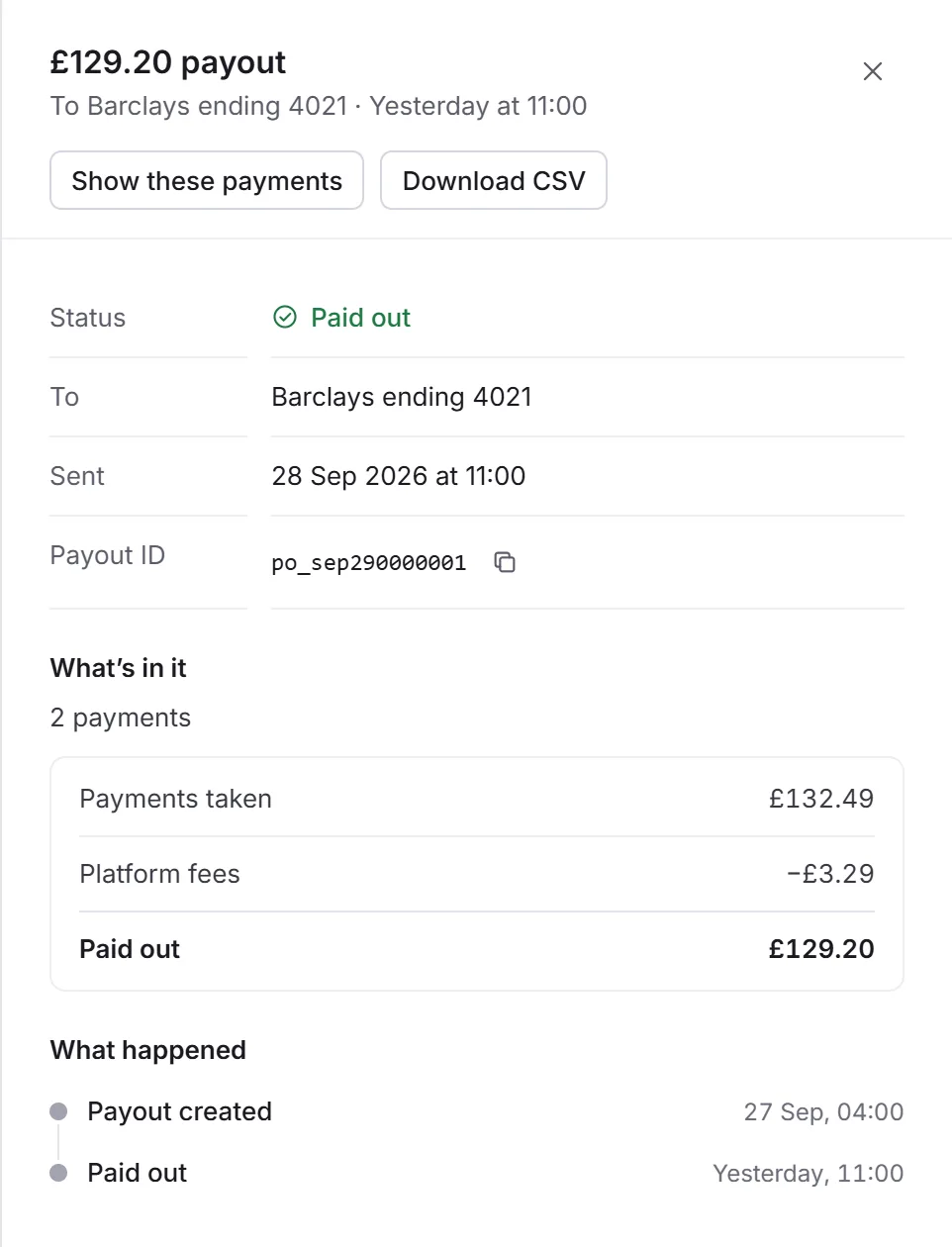
- Show these payments
- Shows the payments in it on the Payments tab.
- Download CSV
- A spreadsheet of what's in it: each payment's date and time, type, name, what it was for, amount, fee, and what was paid out, for your bookkeeping.
If a payout didn't go through, usually because the bank details weren't accepted, the money stays in your balance until it can be paid out. Check the bank account in Payment settings.