Tracking and voiding
Every signed prescription has its own page: where it went, whether it's been dispensed, and everything that happened to it. From there you can prescribe again, send it again, or void it.
A prescription's page
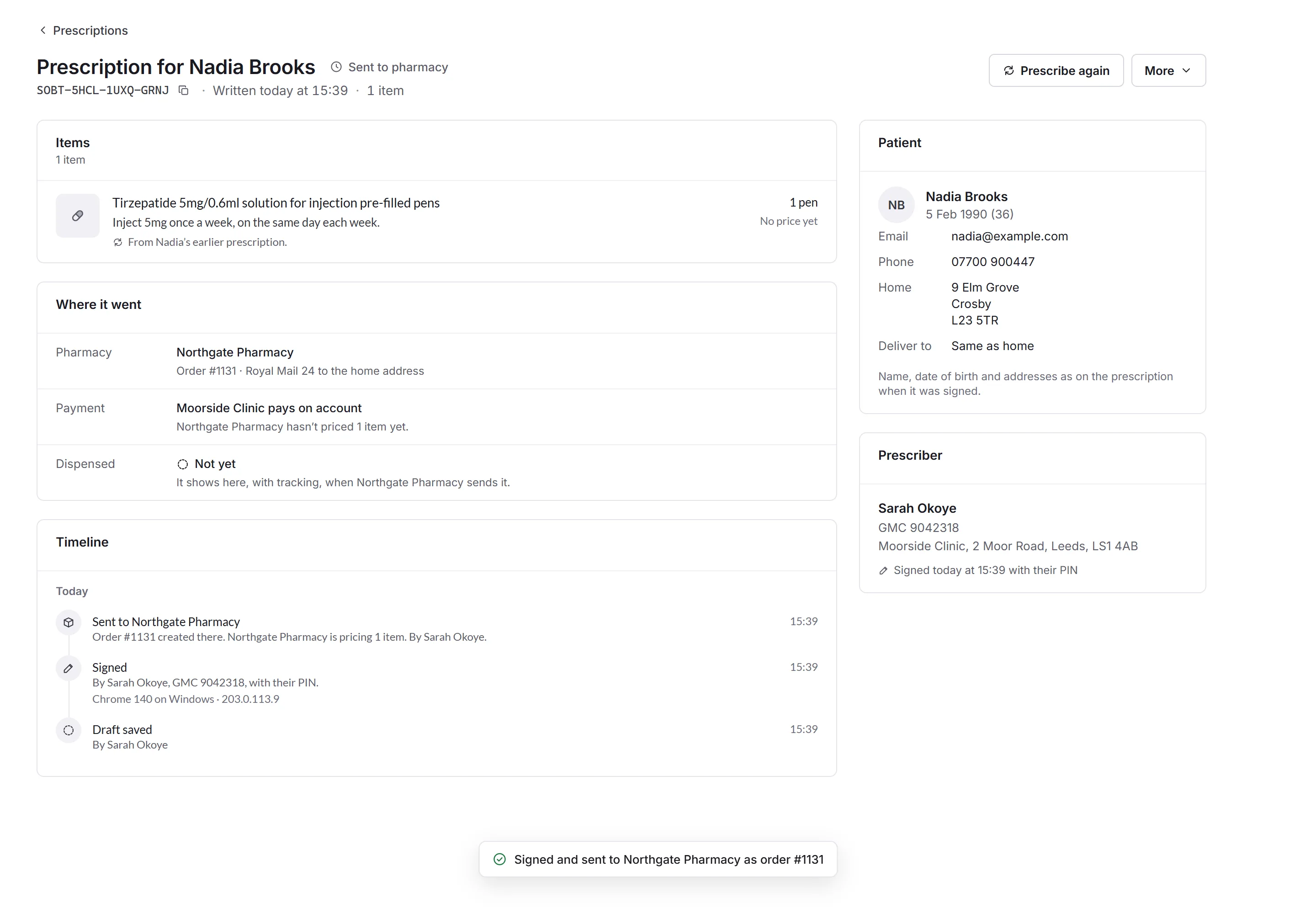
It opens when you sign, and from Issued. At the top: its reference (with a copy button), when it was written, and its status, like Sent to pharmacy, Dispensed or Emailed.
- Items
- Each medicine, its directions and quantity, and its price once the pharmacy has priced it.
- Where it went
- The pharmacy and its order number, how it's being paid for, and Dispensed, with tracking once it's sent. For one emailed to the patient, who it was emailed to.
- Timeline
- Everything that happened, newest first: drafted, signed (with the device it was signed on), sent, dispensed.
- Patient and Prescriber
- As they were on the prescription when it was signed.
When it isn't sent or dispensed
- Not sent yet
- It's signed, but couldn't reach the pharmacy, with the reason. Nothing was charged. Click Try again.
- The pharmacy didn't dispense it
- With their reason, and Send to the pharmacy again, or Write another.
Prescribe again and More
Prescribe again opens New prescription filled in from this one, to check and sign. More has Copy reference, Send the email again (for one emailed to the patient), and Void prescription….
Voiding asks for a Reason (like Wrong medicine, strength or dose or The patient asked to cancel) and a note, then Void prescription. If it went to a pharmacy, their order is cancelled. Your team sees the reason and note; the pharmacy only sees that it was voided. Only the prescriber who signed it can void it, and not once it's been dispensed.
Issued prescriptions
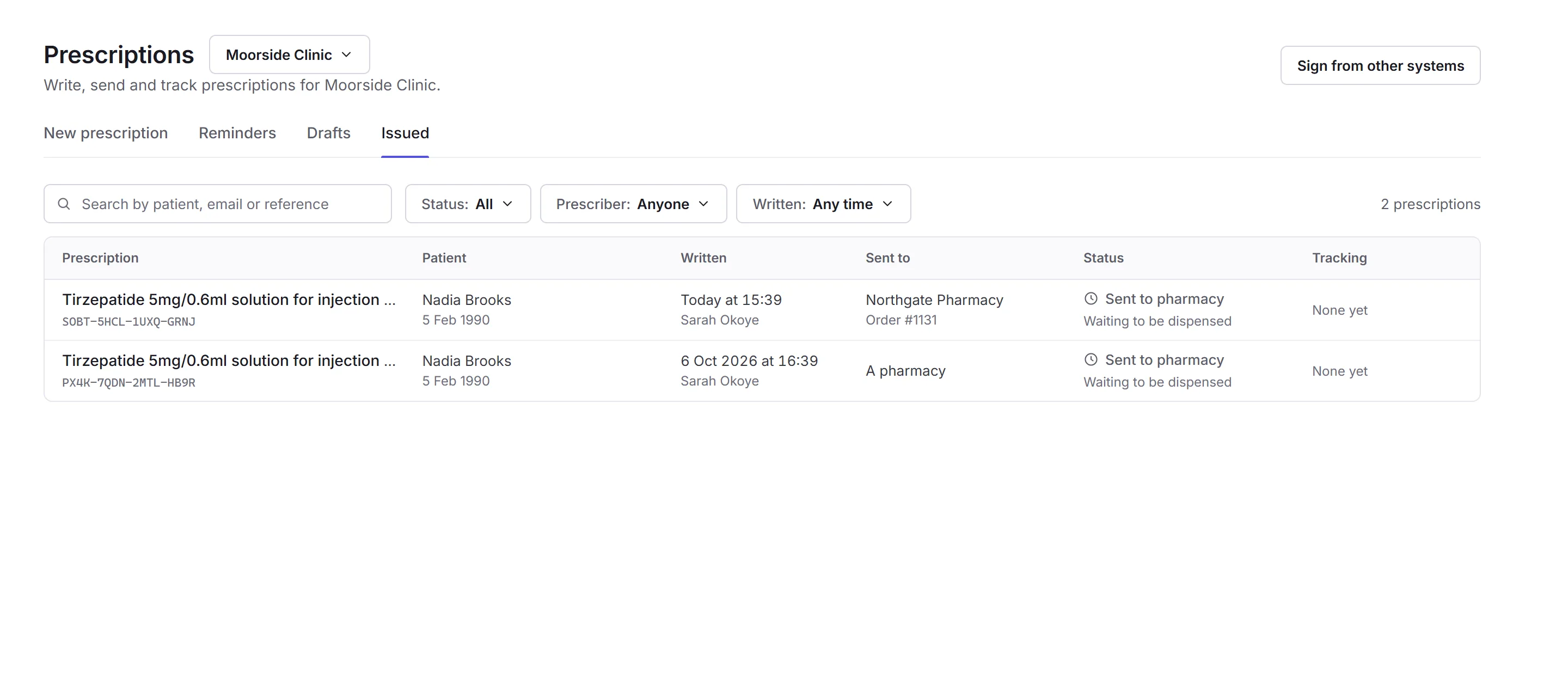
The Issued tab lists every prescription signed, newest first: the reference, the patient, when it was written, where it was sent, its status and tracking. Search by patient, email or reference, or narrow it by Status, Prescriber and when it was Written.
Reminders
A repeat reminder, added to an item as you write it, comes up in Reminders on its date, under Due now; ones still to come are under Coming up. Prescribe again starts the next prescription from it (or Start a draft, if you're not a prescriber). A reminder's menu can snooze it for a week, two weeks or to a date, or Stop this reminder.
Signing from other systems
Prescribers can sign prescriptions written in your own system, through the Priorly API. Sign from other systems, at the top of Prescriptions, makes a signing token for it; you type your PIN to make one, and can revoke it. See Getting started with the API.