Products and discounts
What every clinic pays unless you give one its own price: your default price for each medicine and quantity, its delivery, and discounts for clinics that order a lot of one medicine.
Products
The Products tab lists a product for each medicine and quantity clinics have prescribed: the first prescription for one makes it, priced from the price list. Each shows your default price, its delivery charge, the delivery option it ships with, its packed weight, how many clinics have their own price, and how often it's been ordered. A product with no price yet says how many orders are waiting for one.
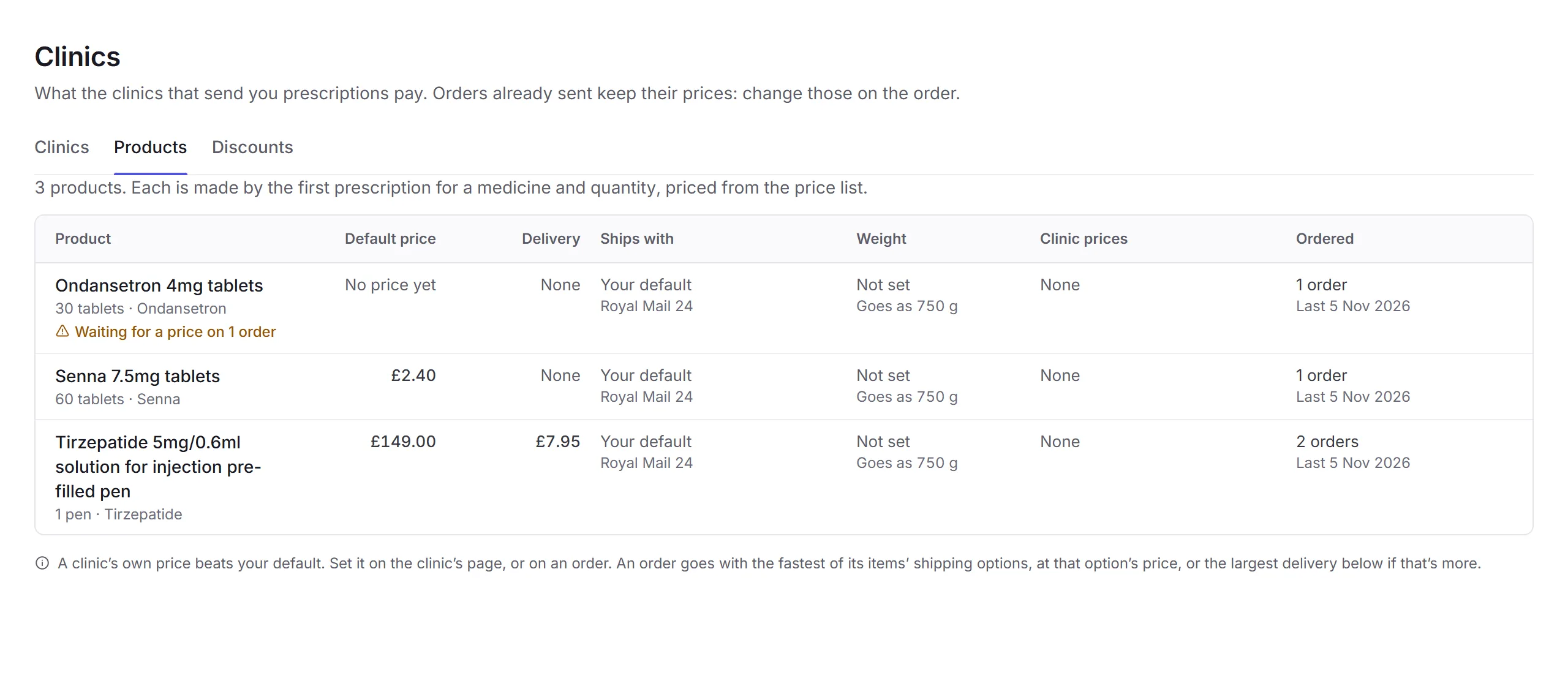
Click a product to change its Default price, Delivery, Ships with, and its packed weight and size, then click Save product. An order goes with the fastest of its items' delivery options, at that option's price, or the largest item delivery charge if that's more.
Discounts
A discount takes a percentage off a medicine, in every strength and brand, on a clinic's monthly invoice once they reach a number of orders of it that month. When more than one is reached, the biggest is used.
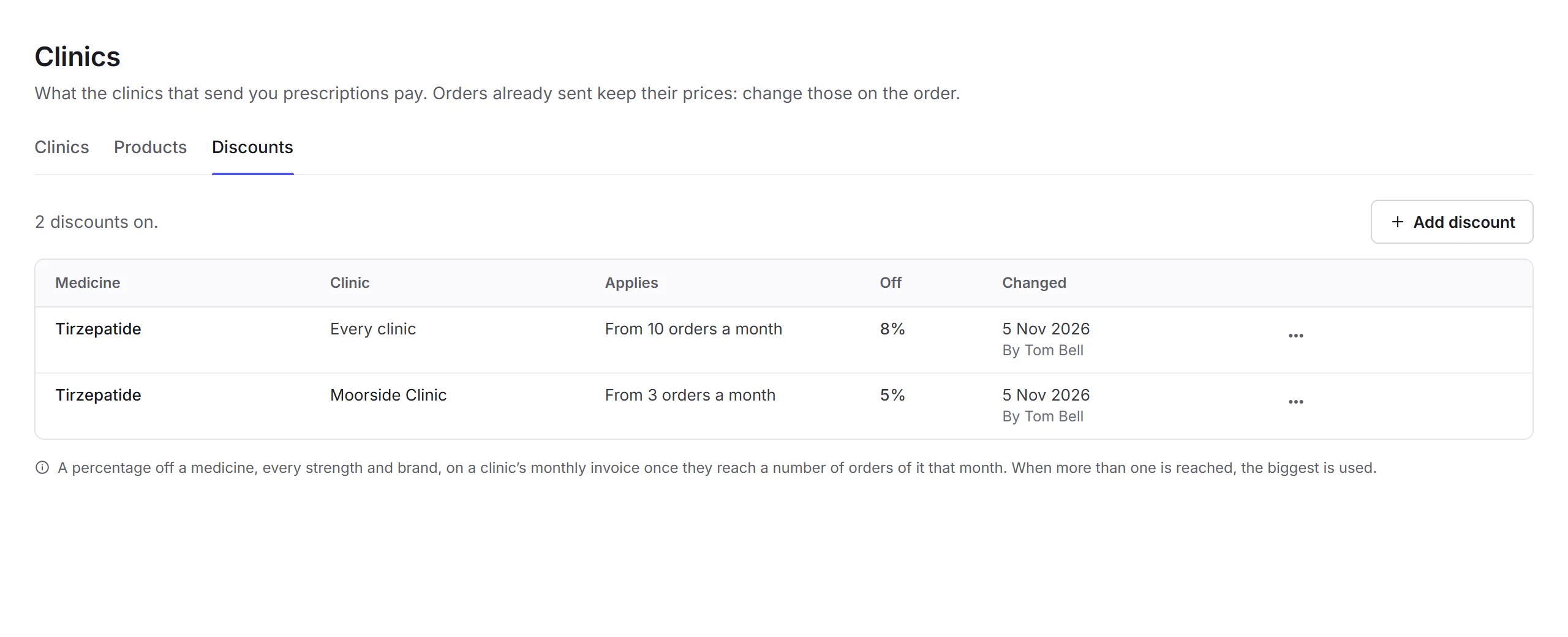
Add discount
Click Add discount and choose the Medicine.
Clinic and threshold
Choose one Clinic, or Every clinic, and From how many orders a month it starts.
Percentage off
Enter the percentage and click Add discount.
A discount's menu has Change… and Remove; removed discounts are listed below, with Put back. Only business admins can change discounts.