Inbox settings
Inbox settings are for every location's Inbox. They're for business admins: open them with the gear beside New message, or Inbox settings in the sidebar's Settings menu.
Closing conversations by themselves
Close conversations waiting on the customer closes a conversation in Waiting once nobody has written for the number of days in Close them after: 14 to begin with, and anything from 1 to 365. It's on to begin with.
- Conversations that need your reply are never closed.
- A reply from the customer opens one again.
- The conversation says it was closed automatically, and after how long.
Files from customers
Turn on Let customers attach files and customers can send a file with a message from their account, such as a photo of their ID. It's off to begin with. Then choose:
- Where files are kept
- With the conversation, or Secure Documents, on their record, which keeps each file encrypted on the customer's record and takes PDFs, JPGs and PNGs. Secure Documents is an app: see Apps.
- Files per conversation
- How many a customer can send in one conversation, from 1 to 50; 5 to begin with. A file your team deletes doesn't count.
- Largest file
- From 1 to 25 MB; 10 to begin with.
- Kinds of file
- Images, PDFs and Word documents.
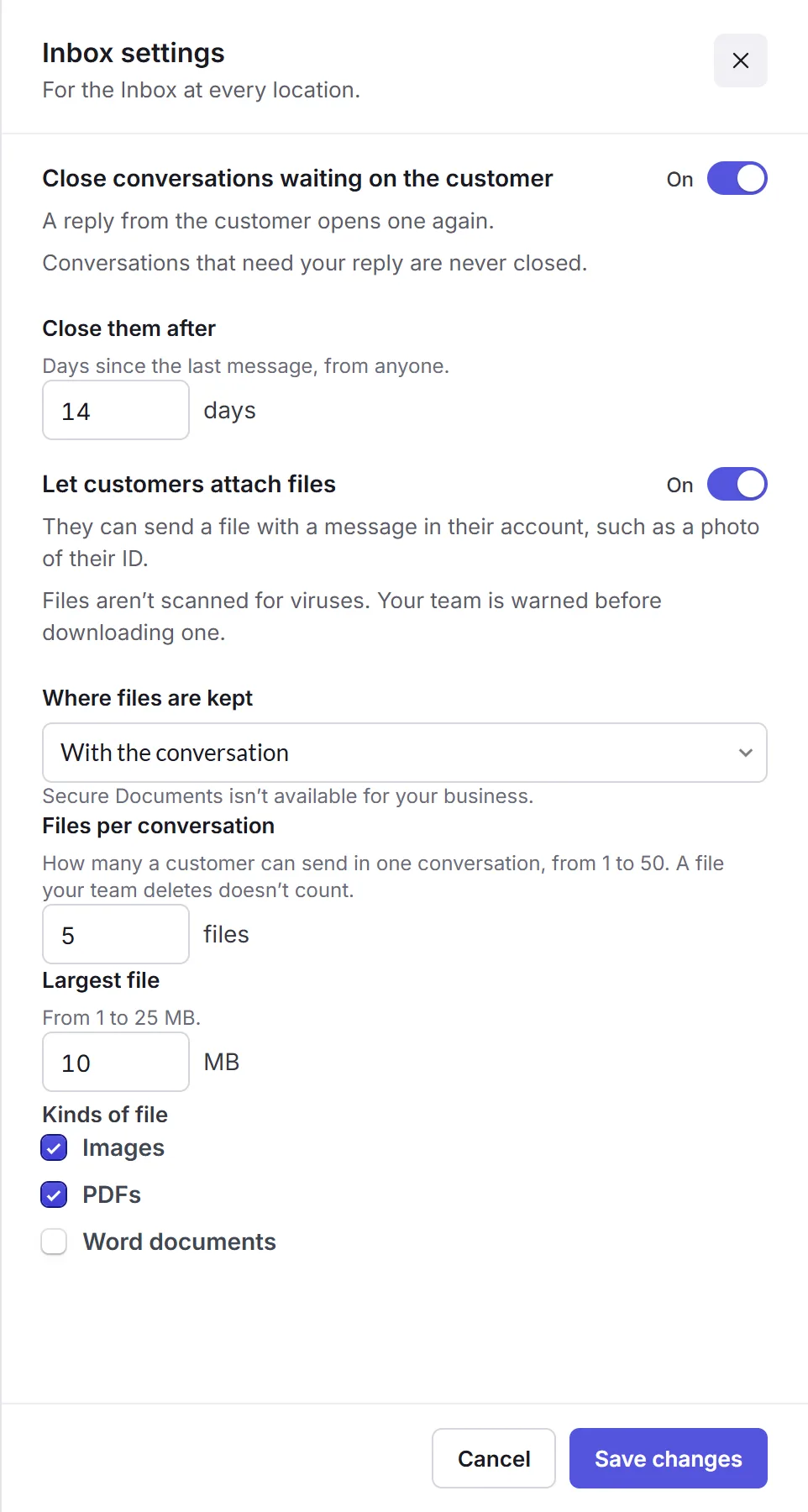
Files customers send aren't scanned for viruses. Your team is warned before downloading one.
Click Save changes when you're done.