Inventory
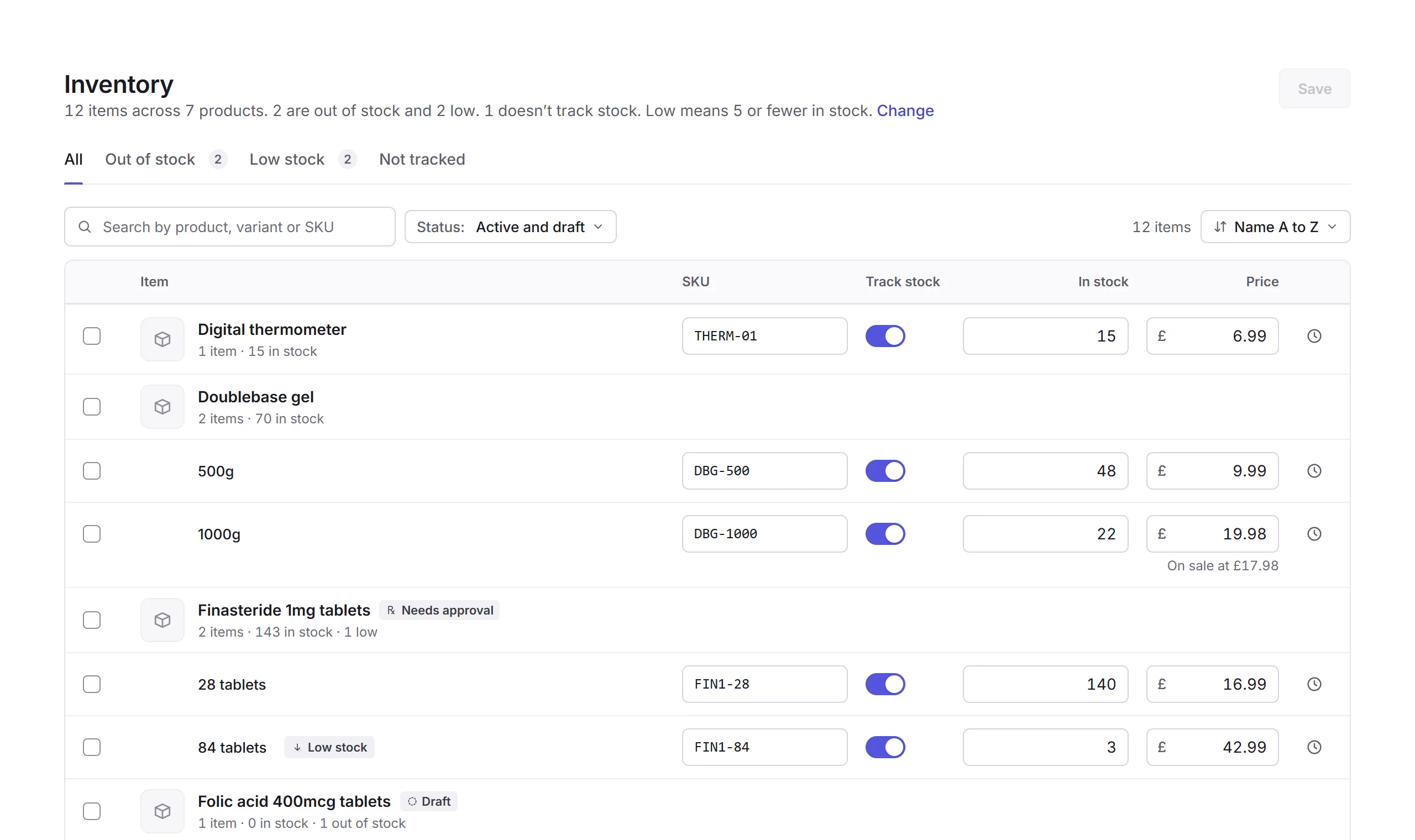
Inventory lists every item you sell, each variant on its own line, with its SKU, whether its stock is tracked, how many are in stock, and its price. Change any of them in place, then save.
Your stock
Open Inventory, under Products in the sidebar. The summary says how many items are out of stock and low. The tabs are All, Out of stock, Low stock and Not tracked; search by product, variant or SKU, and choose which products by their status.
- Track stock
- Whether Priorly counts it. Untracked items never run out.
- In stock and Price
- Type a new number. Changes wait until you click Save, which says how many items you've changed; Discard throws them away.
- Stock history
- The clock button on a row shows the changes to its stock that Priorly has recorded, and what made each one.
- Low stock
- Items with this many or fewer show as Low stock; Change, in the summary, sets the level.
Changing several at once
Tick items, then Set stock (set it to a number, add some, or take some away), Track stock or Stop tracking. Nothing changes on your store until you save.
Changing stock needs the Manage stock permission, under Inventory; changing prices and SKUs needs Edit for products.