Renewals and failed payments
Priorly renews each subscription on its own: on the renewal date it holds the payment on the customer's card, makes the order, and takes the payment when the order is sent. You only step in when something needs your team.
How a renewal happens
The renewal date
Each renewal is one period after the last one was made, like every 28 days. The renewal order is only made once its payment is held on the card.
The order
The order goes through your team like any other, with the same checks and approval as the product needs.
Sent and paid
The payment is taken when the order is sent.
Customers are emailed 7 days before a renewal and on the day, and 14 days before their card expires if it would expire first.
What holds a renewal back
A plan can give customers tasks before each renewal, like a check-in form. Tasks due by the renewal date hold it back until they're done, and so does a last order still waiting for tasks, approval or sending. The subscription shows Waiting for them, with how many tasks are done; Remind opens a message to them listing what's left.
If the last order has waited for approval for three periods, Priorly cancels the subscription.
Failed payments
If a renewal's payment doesn't go through, the customer is emailed, and Priorly tries again a day later, then 3 days after that, then 5 days after that. No order is made until the payment goes through. If the fourth try fails too, Priorly cancels the subscription and emails them.
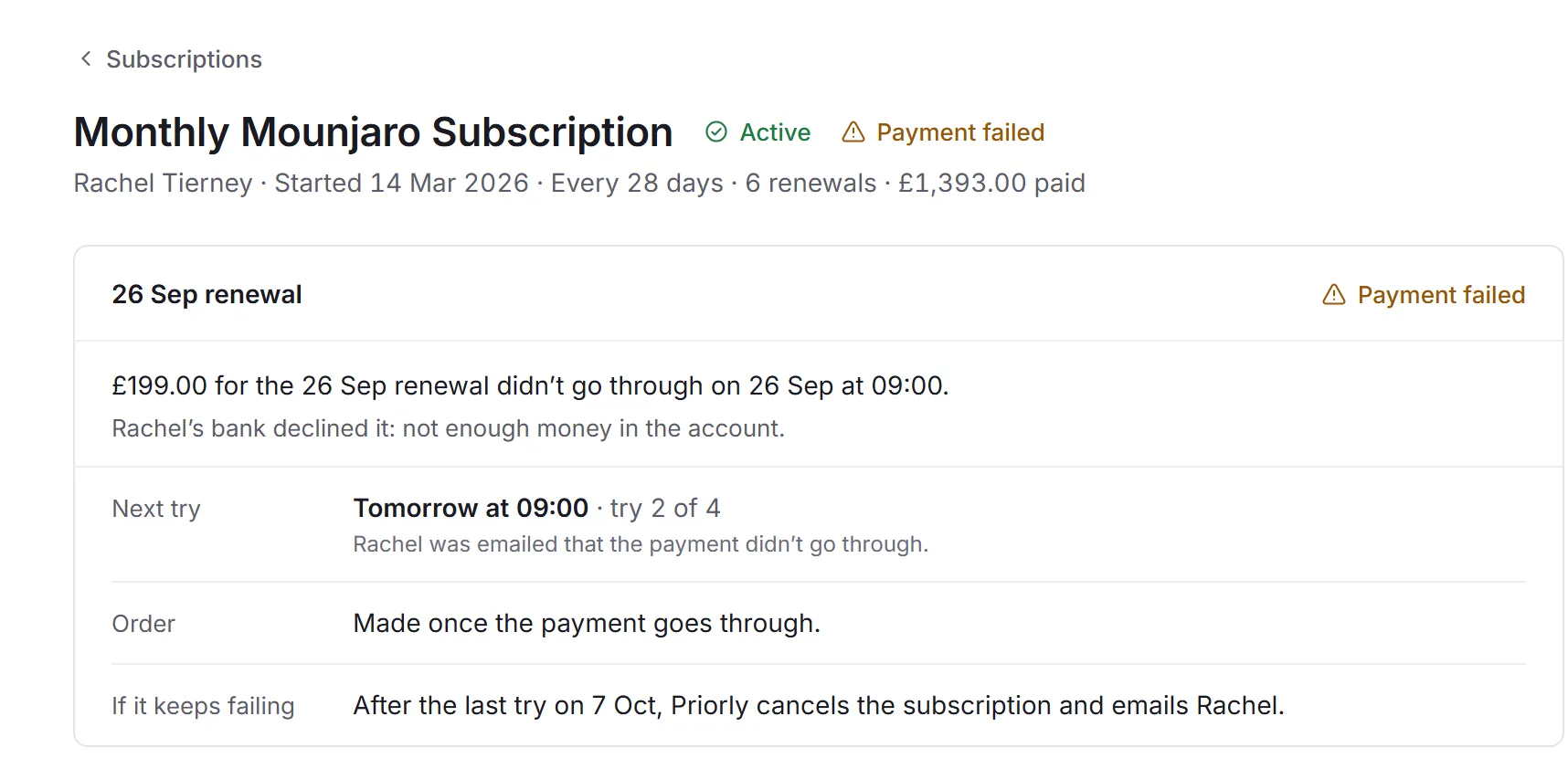
These show under Needs attention. Open one to see why it failed and when Priorly tries next, then:
- Retry payment
- Tries the card now. It counts as one of the four tries.
- Record a bank transfer
- When they've paid another way: the Amount paid and a Reference, then Record payment.
Both need Edit for orders. Customers can also update their card in their account.
When a plan's price changes
Customers already subscribed are emailed 14 days before a new price applies to them, and keep the old price until then.