Sales, payments and checkouts
The reports in Sales and payments: money taken and where it came from, what you keep after costs, how customers paid, money given back, and checkouts left before paying.
Sales
Money taken, counted on the day it was taken.
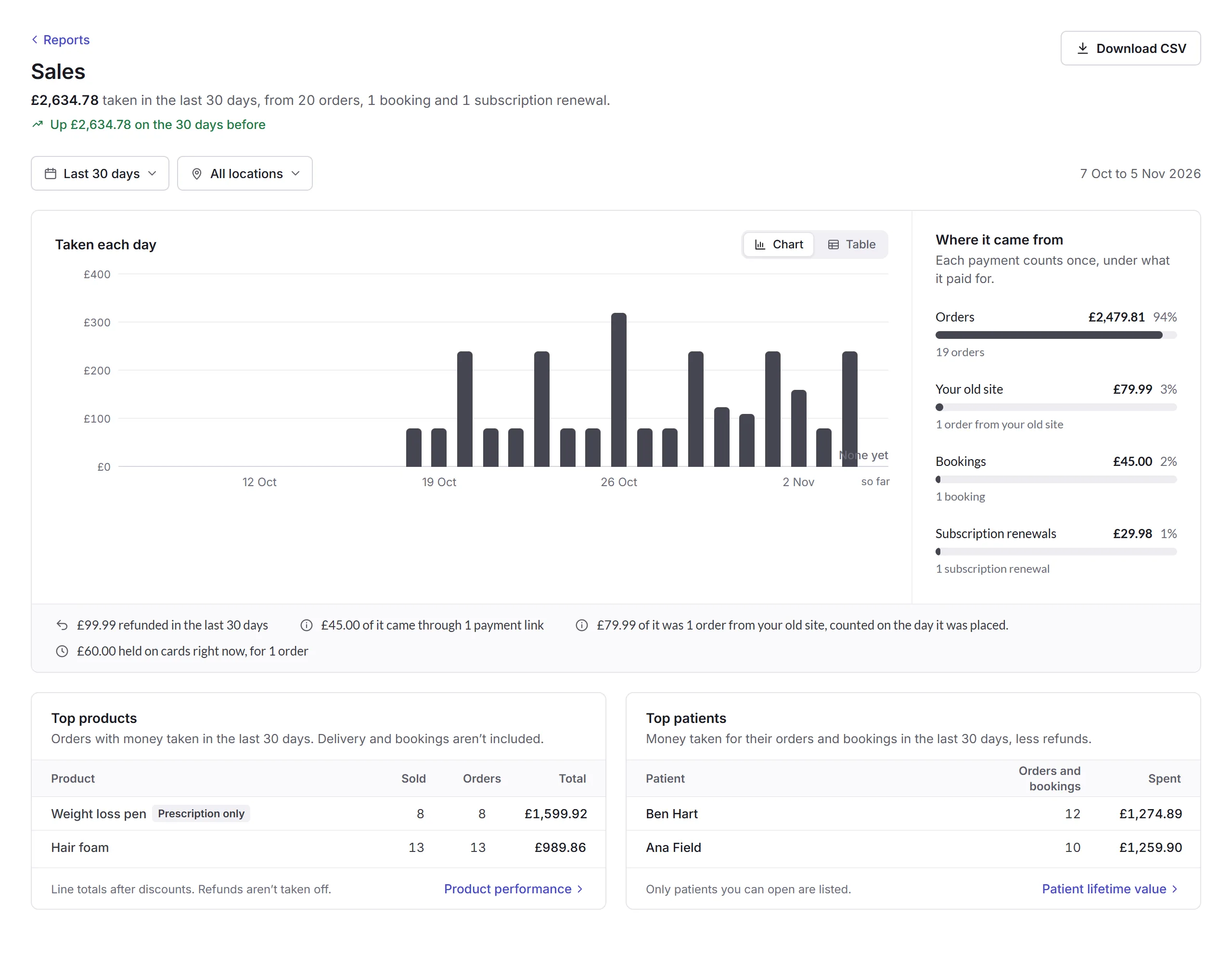
- Where it came from
- Orders, bookings and subscription renewals. Each payment counts once, under what it paid for. Orders from your old site count on the day they were placed.
- Under the chart
- How much was refunded, how much came through payment links, and money held on cards right now, which counts once it's taken.
- Top products and patients
- What sold most, and who spent most, less their refunds. Only patients or customers you can open are listed.
- Locations
- All locations, or one.
Profit, Payments and Refunds
- Profit
- What you keep: items sold without VAT, less their cost prices and refunds. You choose whether delivery, card fees and a cost for each order count, and can add your own costs, like rent. It shows where the rest of the month is heading. Profit is for the whole business.
- Payments
- How many payments were made and how each ended: took money, held on a card, or declined. Then why cards were declined, and how customers paid, like Visa or Apple Pay.
- Refunds
- Money given back, and why, with every refund listed, including any that didn't go through. Show only one person's refunds, or one reason.
Profit needs your products' cost prices. An order with an item that has no cost price is left out of its figures and listed, so you can add one.
Abandoned checkouts
Checkouts left before paying, from your storefront and purchase journeys. A checkout counts as left after an hour with nothing happening. Starting again within a day counts as the same checkout.
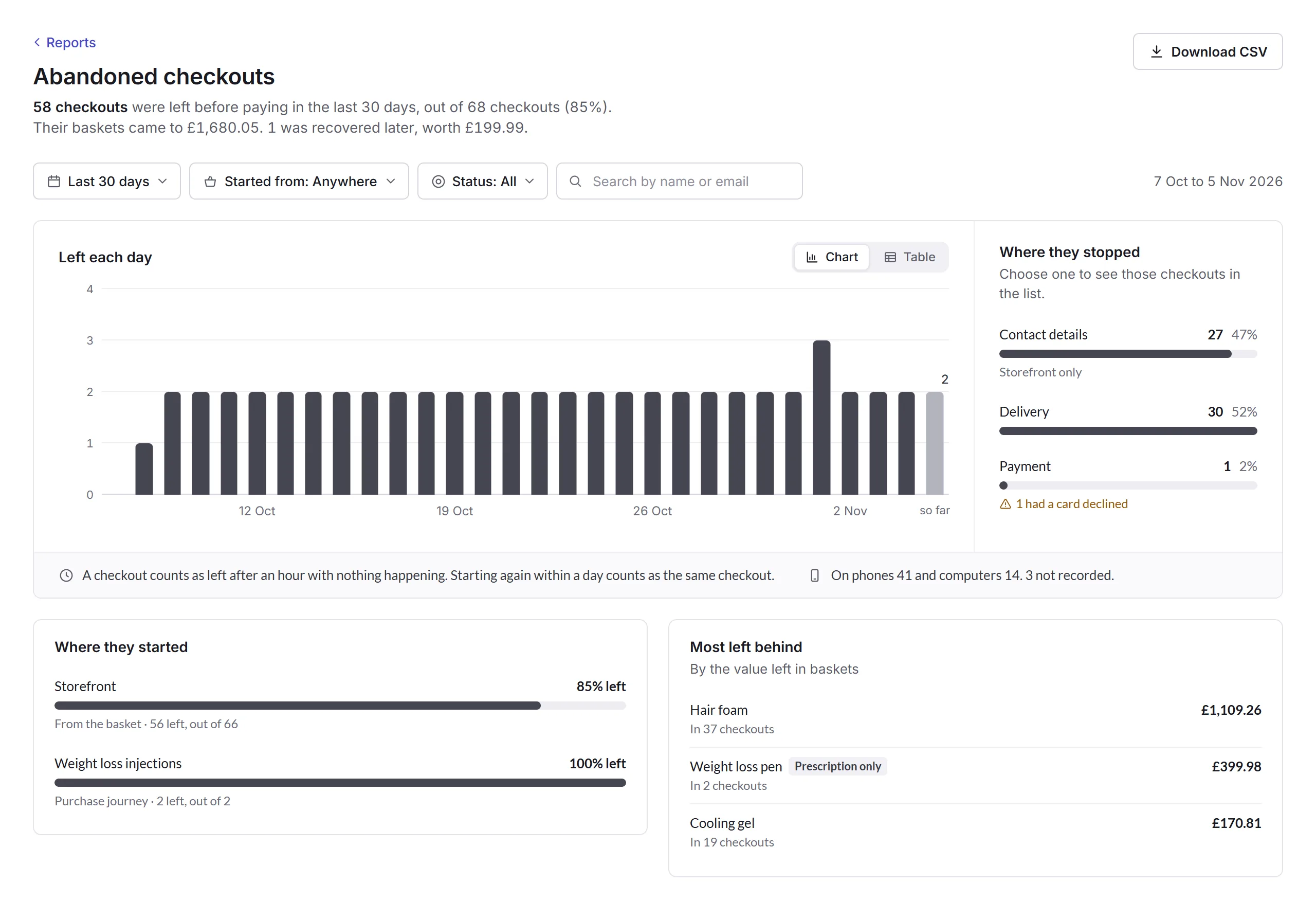
- Where they stopped
- The step each checkout reached: contact details, checking the order, delivery or payment, with how many had a card declined. Click a step to list only those checkouts.
- Started from
- Anywhere, your Storefront, or one purchase journey.
- Status
- All, Not recovered or Recovered. A checkout is recovered when an order follows within a week from the same basket, the same signed-in patient or customer, or the same email.
- Search
- Find a checkout by name or email.
A checkout
Click a checkout's basket in the list to see who it was, where they started, how far they got, what was in the basket and what happened next.
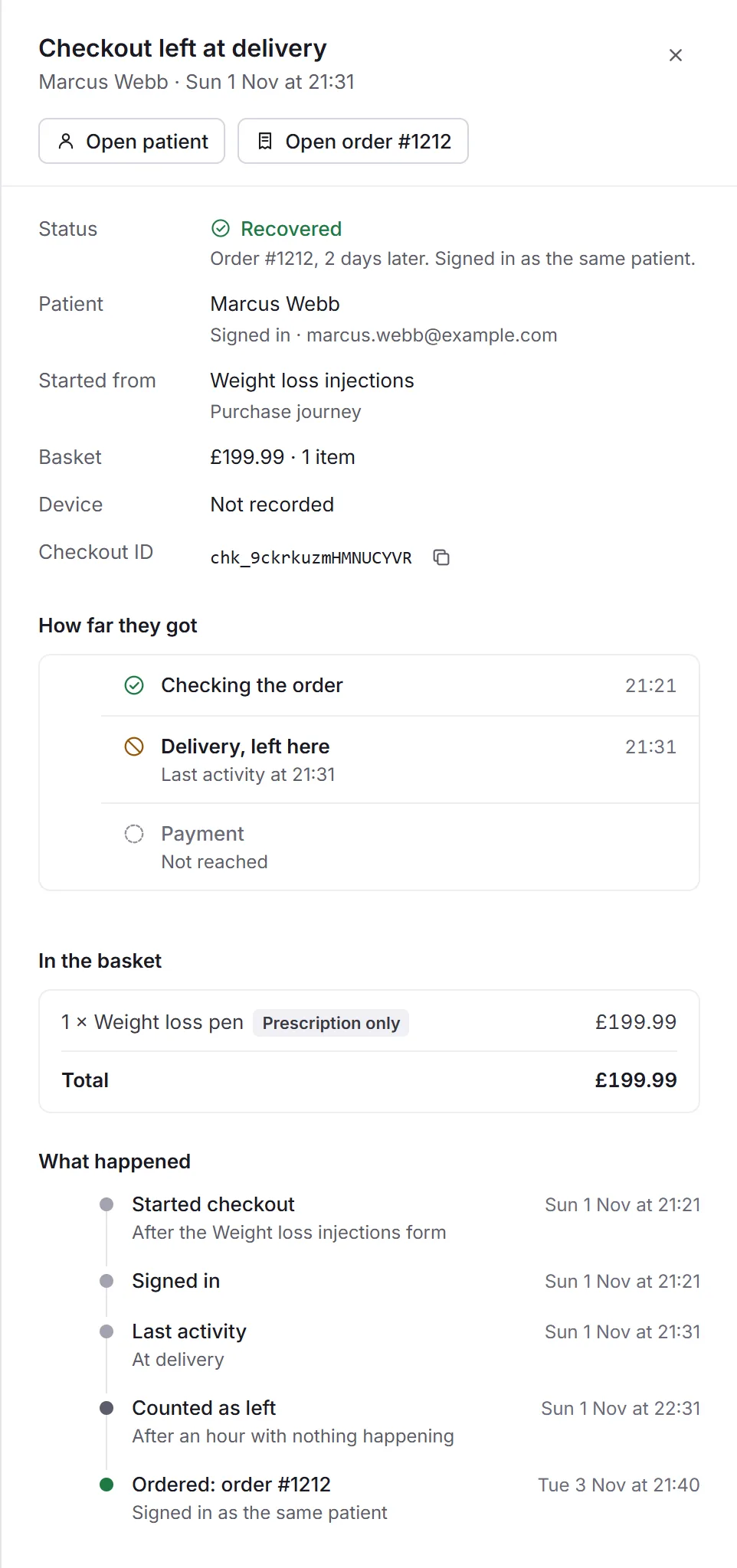
A guest shows as the email they typed at checkout. Open patient and Open order go to the person and the order, when there is one. Download CSV never includes typed emails.