Reports
Reports shows how your business is doing: money taken, orders, patients or customers, bookings, forms, prescriptions and reviews, for any period up to 13 months.
Your reports
Open Reports, under Team and tools in the sidebar.
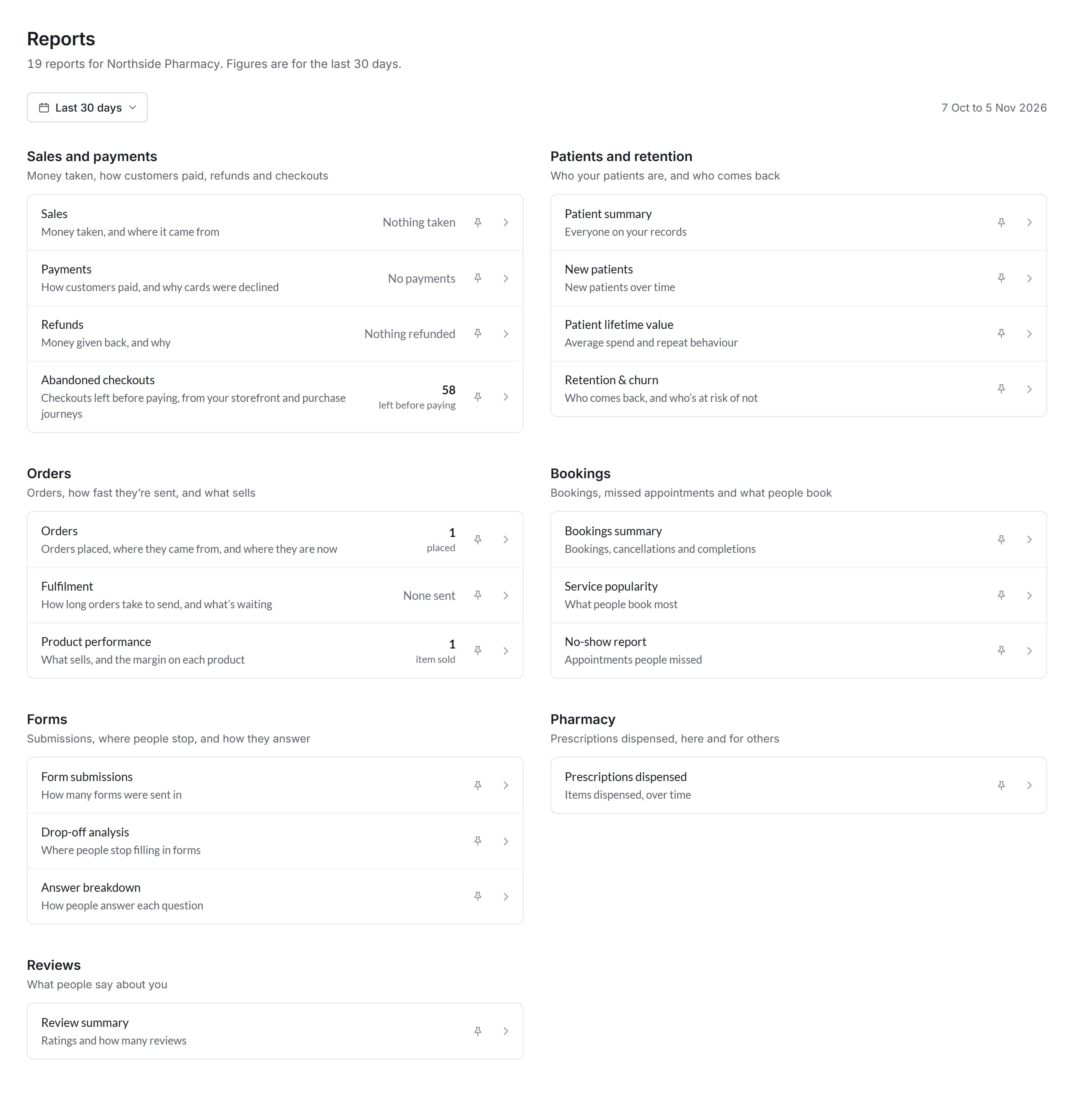
- Period
- Today, Last 7 days, Last 30 days, This month, Last month, This year or Last 12 months, or Choose dates… for up to 13 months. Every figure on the page follows it, a report you open keeps it, and Priorly remembers your choice.
- A report
- What it shows, and its figure for the period, like 58 left before paying. Click it to open the report.
- Pin
- Pin up to 8 reports to keep them in a row at the top, with their figures.
- Your reports
- Reports you make, and ones shared with you, come first. See Your own reports.
What's in each section
You see the sections for what your business does: Bookings if you take bookings, Pharmacy if you prescribe or dispense, and so on.
- Advertising
- With the Google Ads app: your campaigns and keywords, and the customers and money they bring.
- Sales and payments
- Money taken and where it came from, what you keep after costs, how customers paid, refunds, and checkouts left before paying. See Sales, payments and checkouts.
- Patients and retention
- Who your patients are, who's new, what they spend, and who comes back. A business without the Clinic tool says customers.
- Orders
- Orders placed and where they came from, how long orders take to send and what's waiting, and what sells.
- Bookings
- Bookings by service, how often people miss them, and what people book most.
- Forms
- Submissions, where people stop filling in forms, and how they answer.
- Pharmacy
- Prescriptions dispensed, and who prescribed them.
- Reviews
- Your average rating, and how many reviews come in.
Inside a report
A report opens with its figure for the period in a sentence, then a chart with a bar for each day. Chart and Table switch between the bars and the same figures in a table. Hover over a bar, or move between bars with the arrow keys, to see its day.
Beside the chart, a breakdown shows how the figure splits up. In some reports, clicking a line of it shows only those in the list below. Download CSV saves the report's figures for the period as a spreadsheet.
Where Olly is on for your business, Ask Olly at the top of a report opens Olly with the report you're looking at, to ask about its figures.
Who sees what
Business admins see every report. Anyone else needs these permissions:
- Reports
- See reports, for their location or all locations.
- Money
- Reports with money in them, like Sales and Refunds, also need See financials under Business financials. Payments counts payments without amounts, so it needs See payment records under Payments instead, and Refunds needs both.
- Profit
- Profit is for the whole business, so it needs both for all locations.
- Names
- Names and emails need permission to see patients or customers, and health information. Without it, a report still shows its figures, but no names, emails or order numbers.