Locations
Locations are the places your business works from. Staff, orders, bookings and the Inbox are kept separately for each one.
Your locations
Open Locations, under Settings in the sidebar, or Manage locations in the location menu at the top of the sidebar.
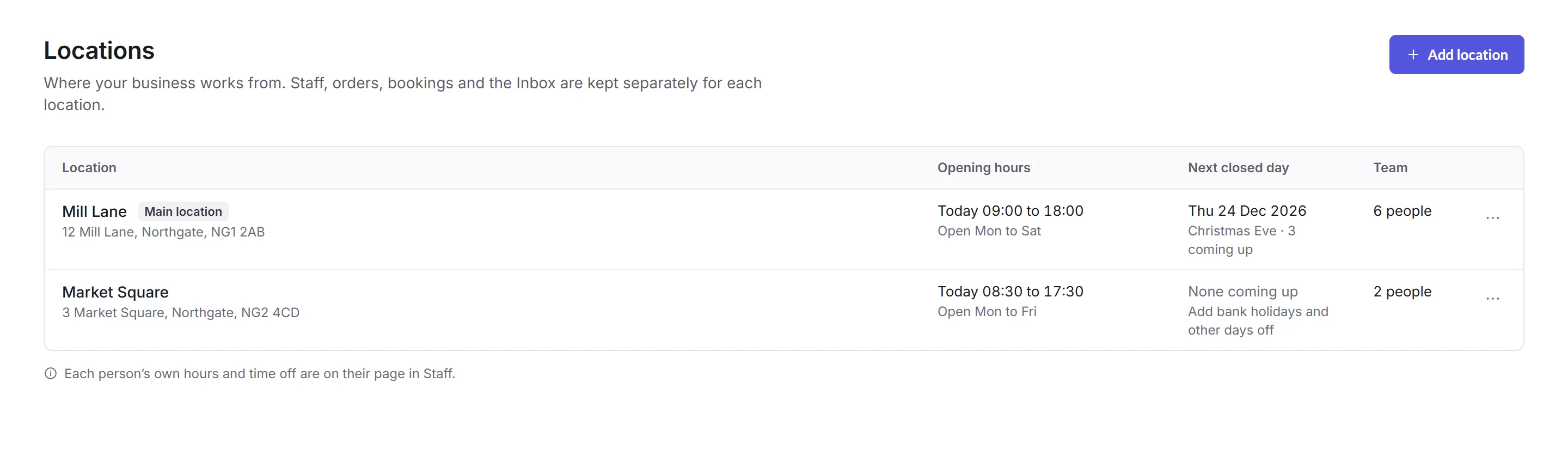
- Add location
- Its name, country and address. The country sets its time zone.
- Main location
- One location is the main one. To make another the main one, use its row's … menu. Both need to be in the same time zone.
- Delete location
- In the row's … menu. Its subscriptions, tasks and open Inbox conversations move to the main location. If bookings, orders or staff still need sorting out first, Priorly lists them with links. A deleted location can't be brought back.
Business admins see every location. A location admin sees their own, and can change everything on its page except its name and address.
A location's page
Click a location to see where it is, when it's open, and how customers reach it. Click Change on a card to edit it.
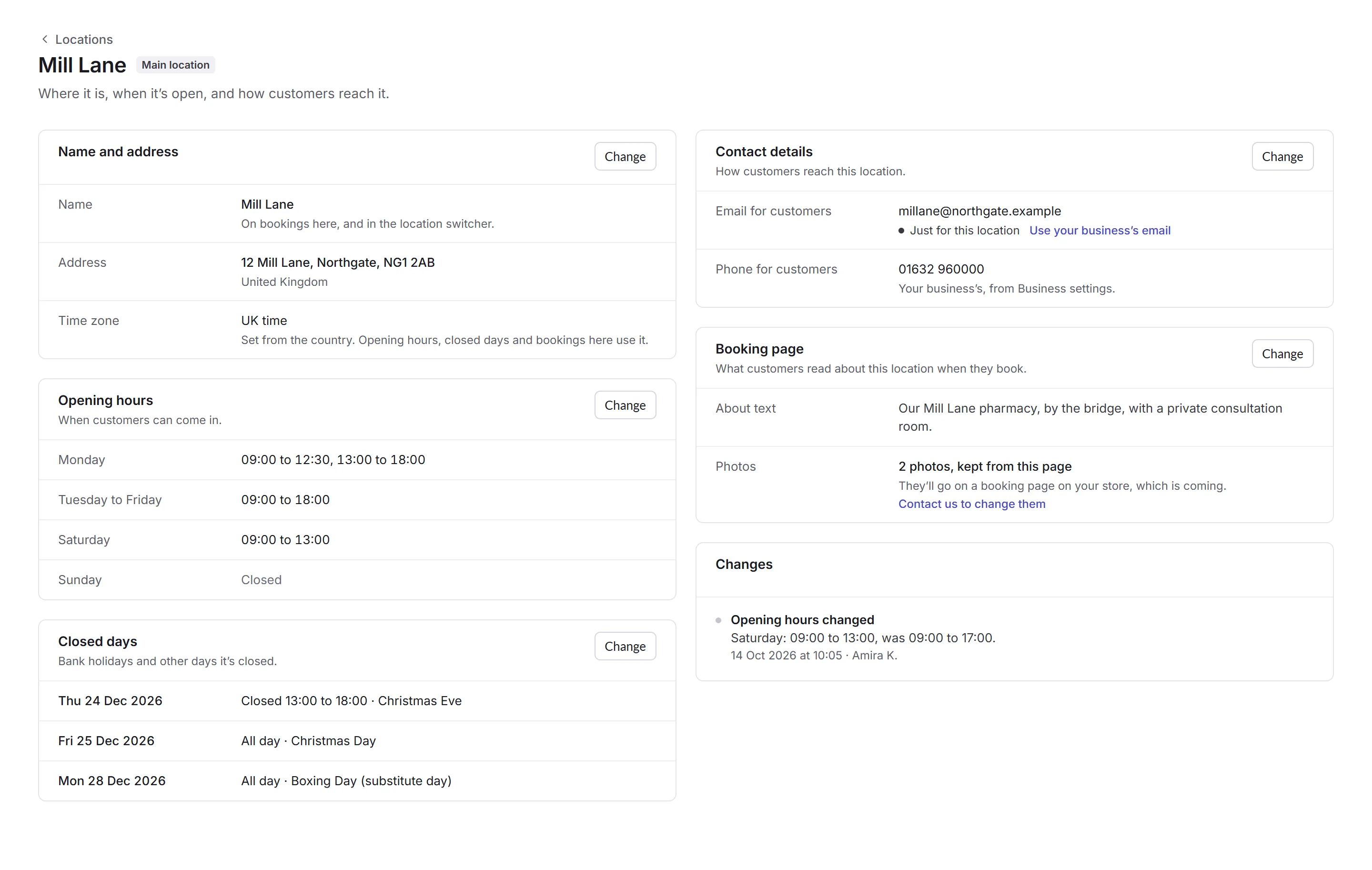
- Name and address
- The name shows on bookings and in the location switcher. Changing the country changes the time zone that opening hours, closed days and bookings here use.
- Opening hours
- When customers can come in. Tick each day it's open, add more than one set of hours for a day, like a lunch break, and copy Monday's hours to the other weekdays.
- Closed days
- Bank holidays and other days off: all day, or between two times. A location in the UK can add its bank holidays in one go.
- Contact details
- The email and phone for customers. Use your business's, or one just for this location.
- Your details
- Your business's details for documents, or this location's own value for any of them.
- Booking page
- The About text customers read about this location when they book, up to 3,000 characters.
Each person's own hours and time off are on their page in Staff, and booking rules are in Calendar settings.